This problem usually happen when the computer or the motherboard is too old. Every time you turn on the computer, the message appears like this:

- Time and Date Always Resetting
- CMOS Settings Wrong
- CMOS Date/Time not set
- Press F1 to Run Setup
- Press F2 to load defaults values and continue
- Even though you have already configured it, same things happen
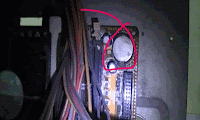
Here’s how to FIX the trouble
- Check the contacts between motherboard battery . If corroded clean with alcohol
- Check if the jumper settings of motherboard CLR_CMOS or JBAT is not configured in jumper 2-3
- Check the battery power
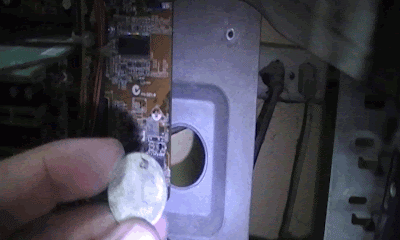
Battery power is at 3.3Volts, you can check it using analog or digital multimeter, if the voltage of the battery is below 2.8 Volts, replace it.
After replacing, go to bios or cmos setup to configure the date and time including the hardware configuration of computer. Then press f10 on your keyboard to save the configuration and exit. After that, the system will restart and it won’t ask again regarding your CMOS Settings.
Watch the Replacement Video while replacing the battery
Note: if it’s still happens after you checked and fix the problem. Well the problem is the motherboard itself. Try to replace it with a new one.