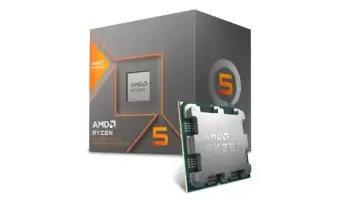
The AMD Ryzen 7 PRO 8700GE is an efficient powerhouse in AMD’s Ryzen PRO 8000 Series, designed specifically for professionals who demand performance in a compact, energy-efficient package. This processor features 8 cores and 16 threads, with a base clock of 3.6 GHz and a boost clock up to 5.1 GHz.
Built on AMD’s advanced 4nm Zen 5 architecture, the Ryzen 7 PRO 8700GE combines power with efficiency, boasting a low 35W TDP. This makes it ideal for business-oriented desktops and compact builds where power savings and heat management are essential.
With integrated AMD Radeon 780M graphics featuring 12 compute units at 2700 MHz, the 8700GE provides enough graphics performance to handle HD media, light design work, and casual gaming without needing a dedicated GPU. It supports DDR5 memory and PCIe 4.0 on the AM5 socket, making it compatible with modern platforms and future upgrades.



Key Features and Specifications
- Processor: Ryzen 7 PRO 8700GE
- Base and Boost Clock: 3.6 GHz base, up to 5.1 GHz boost
- Cores / Threads: 8 cores / 16 threads
- Architecture and Process Technology: Zen 5, TSMC 4nm FinFET
- L2 and L3 Cache: 8 MB L2, 16 MB L3
- Thermal Design Power (TDP): 35W
- Memory Support: Dual-channel DDR5
- PCI Express Version: PCIe 4.0
- Socket Compatibility: AM5
- Integrated Graphics: AMD Radeon 780M, 12 compute units at 2700 MHz
- Operating System Support: Windows 10, Windows 11, RHEL, Ubuntu
- Release Date: April 16, 2024
- Special Features: AMD PRO technologies for added security, stability, and efficiency
Compatibility and Performance
Motherboard Compatibility
With the AM5 socket, the Ryzen 7 PRO 8700GE is compatible with a wide range of DDR5-supported motherboards, ensuring scalability and flexibility in various workstation setups. This makes it an adaptable option for enterprise use where future upgradeability is key.
Recommended Motherboard: ASRock B650M Pro RS – This motherboard provides stability, essential connectivity, and reliability, ideal for professional settings where consistency is important.
Integrated Graphics Performance
The Radeon 780M graphics with 12 compute units deliver excellent integrated graphics performance for day-to-day use, media consumption, and light creative tasks. This integrated solution provides professional-grade support without requiring additional hardware.
Example Performance for Integrated Graphics:
- Streaming and HD Playback: Smooth 4K streaming and HD playback
- Casual Games (e.g., Fortnite, 1080p Medium Settings): 50–60 FPS
Memory Compatibility
Supporting dual-channel DDR5, the Ryzen 7 PRO 8700GE allows for high memory bandwidth, which boosts productivity performance for multitasking and data-intensive applications.
Recommended Memory Configuration: 32 GB (2×16 GB) DDR5-5200 MHz – Provides ample capacity and speed for a smooth, responsive user experience in professional applications.
Power Consumption and Efficiency
TDP (Thermal Design Power)
The 35W TDP makes the 8700GE an ideal choice for energy-conscious builds, with reduced power draw and thermal output, which makes it suitable for quiet, compact systems.
Energy Efficiency
Thanks to the 4nm Zen 5 architecture, the Ryzen 7 PRO 8700GE operates with optimized energy efficiency, making it a perfect fit for sustainable, high-performance desktops in professional environments.
Recommended Power Supply: 350W PSU – Provides adequate power with headroom for peripheral devices while supporting the processor’s low TDP requirements.
Processor Performance and Benchmarks
General Performance
With 8 cores and 16 threads, the Ryzen 7 PRO 8700GE handles demanding multitasking and productivity tasks effectively. Its ability to boost up to 5.1 GHz ensures that single-threaded applications perform smoothly, enhancing responsiveness for tasks that require speed and efficiency.
Professional and Productivity Tasks
The processor’s performance is tailored for professional use, making it ideal for productivity tasks like document processing, multitasking, and light media creation, ensuring a smooth, stable experience.
Price and Availability
As part of the PRO series, the Ryzen 7 PRO 8700GE is competitively priced for business and enterprise environments, offering excellent value with its built-in security and management features.
It provides a secure, efficient solution for companies looking to balance performance with power efficiency.
Pros and Cons
Pros
- Low 35W TDP enables cooler, quieter operation
- Radeon 780M integrated graphics supports casual gaming and media playback
- AMD PRO technologies offer enhanced security, manageability, and stability
- AM5 socket with DDR5 support ensures compatibility with current and future technology
- Efficient Zen 5 architecture optimizes power usage without compromising performance
Cons
- Integrated graphics may not meet demands for intensive graphics tasks or gaming
- Not ideal for multi-thread-heavy workloads such as 3D rendering
Who Should Use the AMD Ryzen 7 PRO 8700GE?
The Ryzen 7 PRO 8700GE is an excellent fit for professionals, businesses, and enterprises that need efficient processing power in compact, low-energy desktops. Its robust multitasking capabilities, integrated graphics, and security features make it ideal for work environments where productivity, power savings, and security are essential.
Final Recommendation or Verdict
The AMD Ryzen 7 PRO 8700GE combines performance, security, and efficiency in a single package, making it perfect for business desktops and professional environments. With 8 cores, 16 threads, and Radeon 780M graphics, it handles everyday productivity and light media tasks with ease. Its DDR5 support and AM5 compatibility ensure it’s future-proofed, while AMD PRO technologies make it secure and reliable for professional users. For those seeking a high-performing, energy-efficient solution, the Ryzen 7 PRO 8700GE is an outstanding choice.
How to Download Drivers and Software AMD Ryzen 7 PRO 8700GE
To download the latest drivers and software for your AMD Ryzen™ 7 PRO 8700GE processor, start by visiting AMD’s official support page. Once there, navigate to the AMD Ryzen™ 7 PRO 8700GE Drivers & Support page. Select your operating system from the available options, such as Windows 11 – 64-Bit Edition. After choosing your OS, locate the latest version of AMD Software: Adrenalin Edition and click the “Download” button to initiate the download.
Once the driver has downloaded, open the installer and follow the on-screen instructions to complete the installation process. If you prefer an automated approach, AMD provides an Auto-Detect and Install tool, which simplifies this task. To use it, download the tool from the AMD Auto-Detect and Install Tool page. When you run this tool, it will automatically identify your AMD hardware and operating system, then recommend the most suitable driver. Follow the prompts to download and install the recommended driver seamlessly.