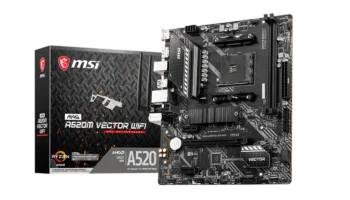
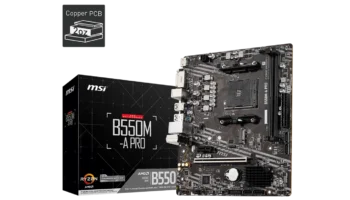
The MSI A320M PRO-VH is a budget-friendly micro-ATX motherboard built for AMD’s Ryzen processors. It is designed for entry-level users or those who need a reliable and cost-effective platform for everyday computing, home office work, or light gaming.
With its compact size and essential features, it provides a great balance between affordability and functionality.
Key Features and Specifications
- Socket: AMD Socket AM4
- Chipset: AMD A320
- Memory Channels: Dual-channel
- DIMM Slots: 2 DIMM slots supporting up to 64GB of DDR4 RAM
- PCI-E Slots: 1 PCI-E x16 Gen3 slot (for a graphics card), 1 PCI-E x1 slot (for additional peripherals)
- Storage: 4 SATAIII ports for HDDs/SSDs, 1 M.2 slot (SATA-based, not NVMe)
- USB Ports: Front: 2 USB 3.2 Gen1 Type-A ports, 4 USB 2.0 ports, Rear: 4 USB 3.2 Gen1 Type-A ports, 2 USB 2.0 ports
- Legacy Ports: 1 Serial Port (front)
- Audio: Realtek® ALC892/ALC897 codec supporting 7.1-channel audio
- Video Outputs: 1 VGA port, 1 HDMI port (supports DirectX 12)
- CPU Support: Compatible with AMD Ryzen processors (Summit Ridge, Pinnacle Ridge, etc.)
- Form Factor: Micro-ATX (M-ATX)
Compatibility and Performance
The MSI A320M PRO-VH motherboard is an entry-level model that offers solid compatibility for budget and everyday builds. Its support for various AMD Ryzen processors, DDR4 memory, and graphics solutions makes it a versatile choice for users who prioritize affordability and basic performance.
CPU Compatibility
The MSI A320M PRO-VH features the AM4 socket, supporting a wide range of AMD Ryzen processors, including:
- 1st, 2nd, and 3rd Generation Ryzen Processors: This includes popular models such as the Ryzen 3, Ryzen 5, and Ryzen 7 CPUs, offering great flexibility in terms of performance. From the basic Ryzen 3 1200 to the more powerful Ryzen 7 2700X, the motherboard can handle various levels of processing power for both general computing and more intensive tasks like content creation.
- Ryzen APUs with Radeon Vega Graphics: The motherboard also supports Ryzen APUs like the Ryzen 3 3200G and Ryzen 5 3400G, which feature integrated Radeon Vega Graphics. These APUs eliminate the need for a dedicated graphics card, making them an excellent option for budget-friendly builds, offering solid performance for light gaming and everyday use.
- Athlon Processors: The MSI A320M PRO-VH is also compatible with AMD Athlon APUs (e.g., the Athlon 200GE), which are ideal for very basic systems or home office setups due to their integrated graphics and low power consumption.
However, since the A320 chipset does not support overclocking, it limits the use of higher-end Ryzen processors to their stock performance. Enthusiasts looking to overclock their CPUs should consider a B-series or X-series motherboard.
RAM Compatibility
The MSI A320M PRO-VH has two DIMM slots, supporting up to 64GB of DDR4 RAM in dual-channel mode. Here’s a closer look at the memory capabilities:
Supported Speeds
- The motherboard supports DDR4 RAM at base JEDEC speeds of 1866 MHz, 2133 MHz, 2400 MHz, and 2667 MHz, which are sufficient for most general-use cases, such as web browsing, document editing, and light multitasking.
- When using AMD Ryzen processors, you can utilize A-XMP profiles to boost memory speeds up to 3200 MHz, providing improved performance in tasks like gaming and media creation. However, due to the limitations of the A320 chipset, you won’t be able to overclock the memory to the extent that higher-end motherboards allow.
Memory Support
For typical users, 8GB to 16GB of RAM will suffice for most everyday tasks, including web browsing, media streaming, and light gaming. More demanding users, such as those working with video editing or virtual machines, may want to consider upgrading to 32GB.
Graphics Compatibility
The MSI A320M PRO-VH motherboard is designed to handle both integrated graphics and discrete GPUs, making it flexible for various types of builds:
- PCI-E x16 Slot: The motherboard features a single PCI-E 3.0 x16 slot, which allows you to install a dedicated graphics card. Whether you’re using a mid-range GPU like the NVIDIA GTX 1650 or AMD RX 570, or even a more powerful option, the slot provides the necessary bandwidth for smooth gaming and productivity performance.
- Integrated Graphics Support: For users opting to build a system without a discrete GPU, the motherboard supports Ryzen APUs with integrated Radeon Vega Graphics. The onboard HDMI and VGA ports provide display output for systems using these APUs, making them ideal for basic gaming, media streaming, or home office setups.
The integrated Vega 8 and Vega 11 graphics are capable of running light gaming titles like League of Legends, CS, and DOTA 2 at reasonable frame rates. - DirectX Support: The integrated graphics support DirectX 12 through the HDMI port, ensuring compatibility with modern gaming and media applications. However, keep in mind that for graphically demanding tasks or high-end gaming, a discrete GPU is still necessary.
Overall, the MSI A320M PRO-VH handles a wide range of graphics needs, from integrated solutions for budget builds to supporting dedicated GPUs for users looking to enhance gaming or media creation performance.
Storage
With 4 SATAIII ports and an M.2 slot (SATA-based), the board offers solid storage options for entry-level builds. While it lacks support for NVMe SSDs, which provide much faster storage performance, the SATA ports and M.2 slot are adequate for most users who rely on traditional HDDs or SATA-based SSDs.
Expansion and Connectivity
The A320M PRO-VH comes with 1 PCI-E x1 slot, allowing you to expand with additional peripherals like sound cards, Wi-Fi adapters, or extra USB hubs. The serial port (a legacy feature) also makes it useful for certain industrial applications where older equipment needs to be connected.
In terms of USB connectivity, the board provides 2 USB 3.2 Gen1 ports on the front and 4 USB 3.2 Gen1 ports on the rear, ensuring plenty of options for connecting modern peripherals like external drives or printers. There are also several USB 2.0 ports for older devices.
Power, Cooling, and Overclocking
Since the A320 chipset doesn’t support overclocking, the MSI A320M PRO-VH is designed for users who want a stable, stock-performance system. Its power delivery system is sufficient for running standard Ryzen processors without overclocking, making it ideal for users who don’t need advanced power management features.
For cooling, the motherboard includes basic fan headers, allowing for both CPU and system fans to keep temperatures under control. However, it’s not designed for builds that require intensive cooling setups, so users planning on heavier workloads should consider more robust motherboards.
Power Supply Recommendation for the MSI A320M PRO-VH
The MSI A320M PRO-VH is designed for entry-level and budget systems, meaning it doesn’t need a high-wattage power supply. However, choosing the right PSU depends on your overall build configuration, including the CPU, GPU, and other components. Below are PSU recommendations based on various setups:
APU Build (Ryzen APUs or Athlon Processors with Integrated Graphics)
For builds using Ryzen APUs (e.g., Ryzen 3 3200G) or Athlon 200GE with integrated Radeon Vega Graphics, no discrete GPU is needed, so the overall power demand is lower.
- Recommended PSU Wattage: 300W to 400W
- Reason: These processors have a low power draw (35W to 65W), and with integrated graphics, a 300W PSU is sufficient for powering the system, including peripherals and storage. A 400W PSU offers a little more room for future upgrades, like adding extra storage or fans.
Budget Gaming Build (Ryzen CPU + Mid-Range GPU)
If you’re using a Ryzen 3 1200 or Ryzen 5 1600 processor paired with a mid-range GPU like the NVIDIA GTX 1650 or AMD RX 570, you’ll need more power for the added GPU.
- Recommended PSU Wattage: 450W to 550W
- Reason: A 450W PSU is enough for most budget gaming setups, ensuring stable power for both CPU and GPU. A 550W PSU provides extra headroom for future upgrades, such as more powerful graphics cards or additional components.
High-Performance Gaming Build (Ryzen 5 or Ryzen 7 with Discrete GPU)
For a more powerful setup using a Ryzen 5 3600 or Ryzen 7 2700 and a GPU like the NVIDIA GTX 1660 or AMD RX 580, a higher wattage PSU is needed for stability.
- Recommended PSU Wattage: 550W to 650W
- Reason: These components require more power, especially under load. A 550W PSU should be sufficient for most high-performance builds, while a 650W PSU offers extra headroom for future upgrades like additional storage or fans.
Additional Considerations:
- Efficiency Rating: Opt for an 80 Plus certified PSU (Bronze, Gold, or Platinum) for better energy efficiency and long-term reliability.
- Future Upgrades: If you plan on upgrading your GPU or adding more components in the future, a higher-wattage PSU (e.g., 550W-650W) will ensure enough power headroom.
Conclusion:
- APU Builds: A 300W-400W PSU is sufficient.
- Mid-Range Gaming Builds: A 450W-550W PSU will provide reliable power.
- High-Performance Builds: A 550W-650W PSU is recommended for stability and potential future upgrades.
Pricing and Availability
In the Philippines, the MSI A320M PRO-VH is available as a refurbished or used option for around PHP 3,900 (approximately USD $69). This pricing is quite reasonable for those who are looking for a reliable motherboard that supports AMD Ryzen processors without stretching their budget.
Pros and Cons
Pros
- Affordable: Priced at PHP 3,900 (~USD $69), it offers excellent value for entry-level builds.
- Compact form factor: Micro-ATX size fits easily into most cases.
- Multiple storage options: 4 SATA ports and 1 M.2 slot provide flexibility for both traditional and solid-state storage.
- Legacy support: The inclusion of a serial port makes it a good choice for certain industrial or specialized applications.
- Sufficient for basic tasks: Great for office work, media consumption, and light gaming.
Cons
- No overclocking: Like other A320 motherboards, it doesn’t support CPU or RAM overclocking.
- No NVMe support: The M.2 slot is limited to SATA SSDs, meaning slower storage speeds compared to NVMe drives.
- Limited PCIe expansion: With only one x16 PCIe slot and one x1 slot, your options for future upgrades are limited.
Video of MSI A320M PRO-VH Computer Builds
System Components:
- CPU: Ryzen 5 2400G APU
- Motherboard: A320M PRO-VH, Socket AM4
- RAM: Kingston ValueRAM, 8GB, 2400MHz, DDR4 Non-ECC CL19
- SSD: Sandisk SSD Plus, 120GB
- Hard Disk: Seagate BarraCuda, 1TB desktop
- Power Supply: Thermaltake Litepower, 450W
- Casing: AVF GAMING FREAK DRUID MAX, ATX
Recommendations for Upgrades
For the graphics card, if you are looking for an upgrade beyond the integrated Radeon RX Vega 11 in the Ryzen 5 2400G, a good choice could be the NVIDIA GTX 1650 or AMD Radeon RX 580, depending on availability and current prices. These cards will offer significant improvements in graphics performance suitable for modern gaming and graphics-intensive applications.
For memory, upgrading to a higher frequency RAM can benefit Ryzen processors due to their architecture. Consider upgrading to at least 16GB of 3200MHz DDR4 RAM to provide better performance and capacity for multitasking and modern applications.
The A320M PRO-VH PLUS motherboard does include an M.2 slot for SSDs, which supports both SATA3 and PCIe 3.0 x4 interfaces, allowing for high-speed storage upgrades that can dramatically improve system responsiveness and boot times.
Who Should Buy the MSI A320M PRO-VH?
The MSI A320M PRO-VH is a great choice for users who want to build a reliable, entry-level system without overspending. It’s suitable for basic home and office tasks, web browsing, and even light gaming when paired with a budget-friendly Ryzen CPU or APU.
If you don’t need overclocking, NVMe support, or extensive expansion options, this motherboard provides all the essentials at an attractive price point.
Final Verdict
The MSI A320M PRO-VH delivers solid performance for the price, making it ideal for budget-conscious users looking to build a functional PC for everyday tasks. At PHP 3,900 (~USD $69), it’s a great deal for those who prioritize affordability and reliability over advanced features like overclocking or ultra-fast storage.
While it’s not meant for high-end gaming or heavy multitasking, it serves as a dependable foundation for office work, media consumption, and light gaming.
MSI A320M PRO-VH Windows Driver Download and Bios Update
To download the latest drivers and BIOS for the MSI A320M PRO-VH, visit the official MSI Support page. Search for your motherboard model and select your operating system (e.g., Windows 10 or Windows 11 64-bit) under the Drivers & Downloads section. From there, you can download essential drivers such as chipset, LAN, and audio to ensure proper functionality of your system.
For a BIOS update, download the latest version, save the file to a FAT32-formatted USB drive, and restart your PC. Enter the BIOS by pressing the Delete key during startup and navigate to the M-Flash utility. Select the BIOS file from your USB drive and follow the on-screen instructions to complete the update. Ensure that the PC remains powered on throughout the process, as it will reboot automatically once the update is completed.
Visit the MSI Support page to download the necessary drivers and BIOS updates for your motherboard.