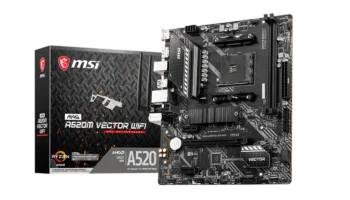
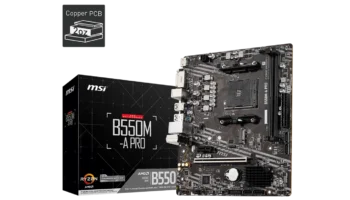
The MSI PRO A320M-B is a budget-friendly micro-ATX motherboard designed for basic home or office builds. It offers core functionality at an affordable price, making it suitable for users who need a stable and reliable platform without high-end features. Powered by the AMD A320 chipset, this motherboard supports Ryzen processors and provides sufficient expansion and connectivity options for light gaming or everyday computing tasks.
Key Features and Specifications
- Socket: AMD Socket AM4
- Chipset: AMD A320
- Memory Channels: Dual-channel
- DIMM Slots: 2 slots supporting up to 64GB of DDR4 RAM
- PCI-E Slots: 1 PCI-E x16 Gen3 slot (for a graphics card), 1 PCI-E x1 slot (for peripherals)
- Storage Options: 4 SATAIII ports for HDDs/SSDs, 1 M.2 slot (SATA-based, no NVMe support)
- USB Ports: Front: 2 USB 3.2 Gen1 Type-A ports, 4 USB 2.0 ports, Rear: 4 USB 3.2 Gen1 Type-A ports, 2 USB 2.0 ports
- Audio: Realtek® ALC892/ALC897 codec supporting 7.1-channel audio
- Video Outputs: 1 VGA port, 1 HDMI port (supports DirectX 12)
- CPU Support: Compatible with AMD Ryzen processors (Summit Ridge, Pinnacle Ridge, etc.)
- Form Factor: Micro-ATX (M-ATX)
Compatibility and Performance
The MSI PRO A320M-B motherboard is designed to offer entry-level performance for budget builds. Despite its low price point, it still supports a wide range of AMD Ryzen processors, DDR4 memory configurations, and graphics solutions.
CPU Compatibility
The MSI PRO A320M-B features an AM4 socket, making it compatible with several generations of AMD Ryzen processors. Here’s a breakdown of the supported CPUs:
- 1st, 2nd, and 3rd Gen Ryzen Processors: The board works with all Ryzen processors, from Ryzen 3 to Ryzen 7, providing users with a range of options from basic to more powerful CPUs.
This includes support for processors like the Ryzen 5 1600 and Ryzen 7 2700X, which are ideal for tasks ranging from light gaming to more demanding applications like video editing. - Ryzen APUs with Radeon Vega Graphics: The motherboard also supports Ryzen APUs such as the Ryzen 3 2200G and Ryzen 5 2400G, which have integrated Radeon Vega Graphics. These processors eliminate the need for a dedicated GPU, making the A320M-B an excellent choice for budget builds aimed at casual gaming or home-office use.
- Athlon Processors with Integrated Graphics: This board is also compatible with AMD Athlon processors, like the Athlon 200GE, which are highly affordable options for simple office or multimedia builds.
However, it’s important to note that this A320 chipset motherboard does not support overclocking. If you’re planning to boost your CPU’s performance, a B-series or X-series motherboard would be necessary.
RAM Compatibility
The MSI PRO A320M-B comes with two DIMM slots that support DDR4 memory in dual-channel mode, allowing up to 64GB of RAM. Here’s a more detailed look:
- Supported Frequencies:
- Base JEDEC speeds: The board supports DDR4 RAM at speeds of 1866 MHz, 2133 MHz, 2400 MHz, and 2667 MHz, making it suitable for most standard computing needs.
- A-XMP (Extreme Memory Profile): For systems with Ryzen CPUs, you can utilize A-XMP profiles to push the memory speeds to up to 3200 MHz. This allows for better performance in gaming and multitasking, but the A320 chipset’s memory handling limits won’t let you overclock beyond its set profiles.
- Base JEDEC speeds: The board supports DDR4 RAM at speeds of 1866 MHz, 2133 MHz, 2400 MHz, and 2667 MHz, making it suitable for most standard computing needs.
- Non-ECC vs. ECC: While the board supports non-ECC unbuffered memory, it also allows for ECC memory in non-ECC mode, which adds stability to professional and workstation setups.
For general use cases like web browsing, office work, and even gaming, 8GB to 16GB of DDR4 RAM will be sufficient. Power users who need to run more demanding applications, such as video editing or virtual machines, may want to consider pushing the system to 32GB or even 64GB.
Graphics Compatibility
In terms of graphics, the MSI PRO A320M-B motherboard has solid support for both integrated graphics (via APUs) and discrete graphics cards:
- PCI-E x16 Slot: The motherboard features a PCI-E 3.0 x16 slot, which allows you to install a dedicated graphics card for enhanced gaming or content creation. Whether you’re using a mid-range GPU like the NVIDIA GTX 1650 or AMD RX 550, or even higher-end cards like the NVIDIA GTX 1660, the board will handle them without issue. However, the A320 chipset limits the number of PCI lanes, so you’ll only be able to use one GPU.
- Integrated Graphics: For builds using APUs (Ryzen processors with integrated Radeon Vega graphics), the HDMI and VGA outputs on the rear panel allow for display support without the need for a dedicated GPU.
Radeon Vega 8 and Vega 11 graphics offer solid performance for light gaming, video playback, and productivity tasks without requiring a discrete graphics card. - DirectX Support: The board supports DirectX 12 via its HDMI and VGA outputs, which ensures compatibility with modern applications and games. However, keep in mind that integrated graphics won’t offer the same performance as a dedicated GPU.
The MSI PRO A320M-B motherboard is a versatile, cost-effective option for users building an entry-level system. It supports a broad range of AMD Ryzen processors, including APUs with integrated Radeon graphics, which makes it a flexible choice for both budget gaming and general-purpose computing.
The 64GB RAM capacity and PCI-E x16 slot provide users with room for future upgrades, although the A320 chipset’s lack of overclocking support may limit performance enthusiasts. Overall, it’s a solid option for users who want to build a reliable, low-cost system without sacrificing too much on performance.
Storage
The MSI PRO A320M-B offers basic storage options, including 4 SATAIII ports for traditional SSDs or hard drives and 1 M.2 slot for faster boot times via an M.2 SATA SSD. However, it does not support NVMe drives, which would provide significantly faster read and write speeds compared to SATA-based storage.
Expansion and Connectivity of MSI PRO A320M-B
For expansion, the board includes 1 PCI-E x1 slot for adding a peripheral like a sound card or network card. Although it’s a basic setup, it’s enough for general use or a small office environment.
The variety of USB 3.2 Gen1 and USB 2.0 ports ensures that users can connect multiple external devices and peripherals. With 6 USB ports on the rear (4 USB 3.2 and 2 USB 2.0) and additional front headers, you have enough connectivity for everyday tasks like plugging in keyboards, mice, external drives, or printers.
Power, Cooling, and Overclocking
The MSI PRO A320M-B is an entry-level motherboard designed for budget builds, so its power delivery, cooling options, and overclocking capabilities are basic but sufficient for everyday tasks and light gaming.
Power Delivery
The MSI PRO A320M-B features a basic power delivery system suitable for non-overclocked CPUs. Its 4+2 phase VRM (Voltage Regulator Module) is sufficient for running standard Ryzen CPUs and APUs within their normal power range, but it’s not optimized for high-power CPUs or intensive multitasking.
- CPU Power Connector: The motherboard comes with a standard 8-pin CPU power connector, providing stable power to the CPU for typical workloads. This is more than enough for Ryzen 3 and Ryzen 5 processors or AMD Athlon APUs, which draw between 35W and 65W of power.
Since the A320 chipset doesn’t support overclocking, you won’t need a more advanced VRM setup. However, if you were to install a higher-end processor, the motherboard’s power delivery may struggle with high sustained loads, limiting its use for more power-hungry tasks.
Cooling Solutions
The MSI PRO A320M-B offers basic cooling options, suitable for budget builds but limited compared to higher-end motherboards:
- Fan Headers: The motherboard includes two 4-pin system fan headers and one 4-pin CPU fan header. This setup is enough for cooling in a standard build, but it may limit more complex cooling configurations like multiple case fans or additional liquid cooling components.
For most users with non-overclocked CPUs or APUs, the included fan headers will suffice. However, builders looking to use powerful GPUs or multiple storage devices that generate more heat may find the cooling options restrictive, especially if they want better airflow. - Stock Coolers: Given the board’s target market, it’s likely that many users will rely on the stock coolers provided with Ryzen or Athlon processors, such as the Wraith Stealth or Wraith Spire. These coolers are adequate for non-overclocked builds and offer good thermal performance within the wattage limits of these CPUs.
The MSI PRO A320M-B isn’t designed for heavy thermal loads, so it’s best suited for low- to mid-range CPUs that don’t require extensive cooling solutions. However, adding a single high-quality aftermarket cooler or an extra system fan can help keep temperatures stable during more intense tasks.
MSI PRO A320M-B Overclocking
The A320 chipset does not support overclocking for either the CPU or memory, which is one of its major limitations. This lack of overclocking support makes it a less ideal choice for enthusiasts who want to push their system’s performance.
- CPU Overclocking: Unlike B-series and X-series motherboards, which allow users to overclock their Ryzen processors for additional performance, the MSI PRO A320M-B locks out overclocking features. This makes it a suitable choice for users who are comfortable with stock CPU settings or those who don’t need the extra performance boost that overclocking provides.
- Memory Overclocking: Although overclocking is disabled on the CPU side, you can still take advantage of A-XMP profiles for RAM. This allows users to configure memory speeds beyond the standard JEDEC timings, reaching speeds up to 3200 MHz with compatible RAM. This can help improve system performance in gaming or multitasking but won’t match the flexibility or control offered by higher-end chipsets.
Recommended Power Supply Unit (PSU)
For systems built around the MSI PRO A320M-B, the power requirements are modest due to the lack of overclocking and the board’s focus on entry-level processors. Here’s a breakdown of the recommended wattage:
- APU Builds: For systems using APUs like the Ryzen 3 2200G or Athlon 200GE, a 300W to 400W PSU is sufficient. These processors have low power consumption and do not require dedicated graphics cards, keeping the power requirements low.
- Discrete GPU Builds: For systems with a discrete graphics card, like the NVIDIA GTX 1650 or AMD RX 550, a 450W to 550W PSU is recommended. This provides enough power for both the CPU and GPU, as well as extra headroom for additional components like SSDs and case fans.
Pricing and Availability
The MSI PRO A320M-B is priced at around PHP 2,800 to PHP 3,300 (approximately USD $50 to $58) in the Philippines.
This makes it one of the most affordable motherboards on the market, especially for users who want a functional build without breaking the bank.
Pros and Cons
Pros
- Affordable: At around PHP 3,000, this motherboard is a great choice for budget-conscious builders.
- Compact size: The micro-ATX form factor fits easily into smaller cases.
- Ample USB ports: With 6 USB ports on the rear and additional front headers, it offers solid connectivity.
- Basic audio: The Realtek ALC892/ALC897 codec provides decent sound quality for everyday use.
Cons
- No overclocking: Like other A320 motherboards, it doesn’t support overclocking for CPUs or RAM.
- No NVMe support: The M.2 slot is limited to SATA-based SSDs, which means slower storage performance compared to NVMe.
- Limited PCIe expansion: Only one x16 PCIe slot for a GPU and one x1 slot, restricting future upgrade potential.
Who Should Buy the MSI PRO A320M-B?
This motherboard is ideal for users who need a reliable and affordable platform for basic computing. It’s perfect for home offices, web browsing, media streaming, and light gaming. If you don’t need overclocking, NVMe storage, or extensive expansion options, this motherboard delivers solid value at a low price.
Final Verdict
The MSI PRO A320M-B is a strong contender for budget builds, offering a reliable feature set at an incredibly affordable price. Its limitations—no overclocking or NVMe support—are expected at this price point, but for users who need a basic, functional system, it ticks all the right boxes. At around PHP 3,000 (USD $54), it’s a great choice for those looking to build an entry-level PC without overspending.
How to Download Drivers and BIOS for the MSI PRO A320M-B
To download the latest drivers and BIOS for the MSI PRO A320M-B, visit the official MSI Support page. Search for your motherboard model, then select your operating system (e.g., Windows 10 or Windows 11 64-bit) under the Drivers & Downloads section. From there, you can download essential drivers such as chipset, LAN, and audio to ensure that your system functions optimally.
For a BIOS update, download the latest version, save the file to a FAT32-formatted USB drive, and restart your PC. Enter the BIOS by pressing the Delete key during startup, then navigate to the M-Flash utility. Select the BIOS file from your USB drive and follow the on-screen instructions to complete the update. Ensure the PC remains powered on throughout the process, as it will automatically reboot once the update is complete.
Visit the MSI Support page to get the necessary drivers and BIOS updates for your motherboard.