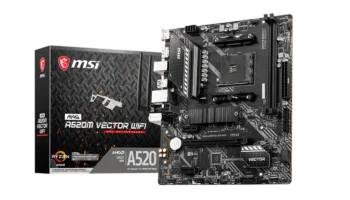
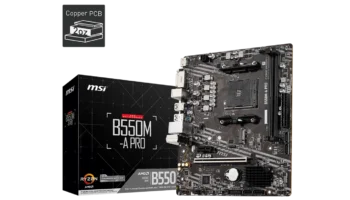
The MSI MAG B550M BAZOOKA is a mid-level motherboard that delivers solid features for gamers and budget-conscious builders. It’s designed for gaming and light productivity, offering good connectivity, PCIe 4.0 support, and decent storage options. With a micro-ATX form factor, it’s perfect for compact builds without sacrificing performance.
In this review, we’ll break down the key features, compatibility, and performance to help you decide if the MSI MAG B550M BAZOOKA is the right choice for your next PC build.
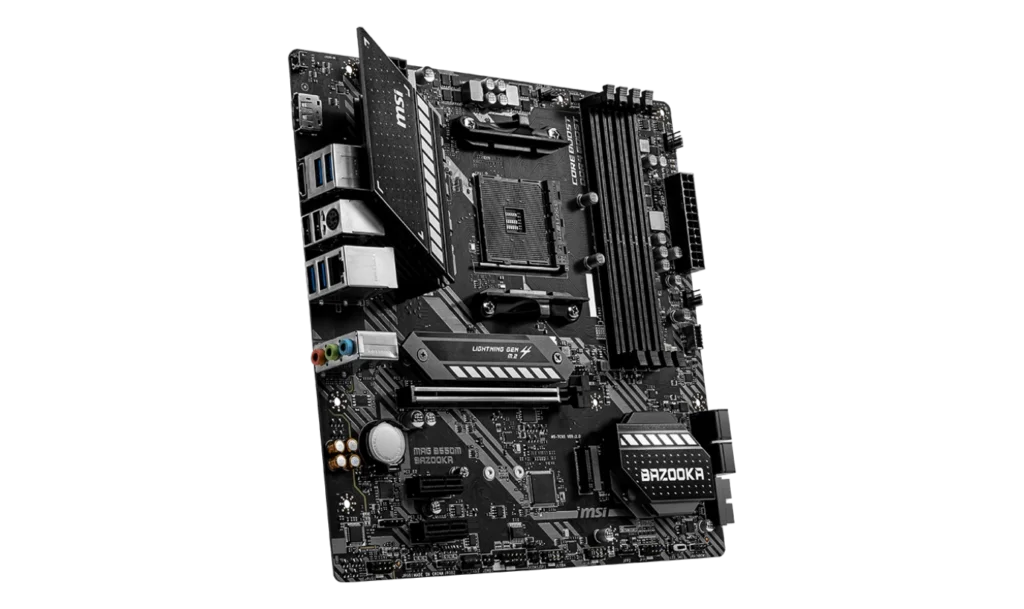
Key Features and Specifications
- Motherboard Model: MSI MAG B550M BAZOOKA
- Socket: AMD AM4
- Chipset: AMD B550
- Memory Support: 4 DIMM slots, up to 128GB DDR4 RAM
- PCI-E Slots: 1 PCIe x16 Gen4 slot, 2 PCIe x1 slots
- Storage Options: 4 SATA III ports, 2 M.2 slots supporting PCIe and NVMe SSDs
- USB Ports: Front: 1 USB 3.2 Gen1 Type-C, 2 USB 3.2 Gen1 Type-A
- Rear: 4 USB 3.2 Gen1 Type-A, 4 USB 2.0 Type-A
- Expansion: 1 TPM header, 2 RGB headers, 2 RAINBOW LED headers
- Audio: Realtek® ALC892/ALC897 codec with 7.1-channel surround sound
- Video Output: 1 HDMI 2.1, 1 DisplayPort
- RAID: Supports RAID 0, 1, and 10 for SATA devices
- Form Factor: Micro-ATX
Compatibility and Performance
CPU Compatibility
The MSI MAG B550M BAZOOKA supports AMD Ryzen 5000, 4000 G-Series, and 3000 Series processors with its AM4 socket. It’s a solid option for gaming and productivity, capable of handling a range of CPUs from the Ryzen 3 3300X to the Ryzen 9 5900X, making it ideal for budget to mid-tier gaming systems.
Recommended Processors:
- With Integrated Graphics: AMD Ryzen 5 4600G, AMD Ryzen 7 5700G
- Without Integrated Graphics: AMD Ryzen 5 5600X, AMD Ryzen 7 5800X
These processors provide great performance for gaming, content creation, and general use, depending on your build.
Memory Compatibility
This motherboard supports up to 128GB of DDR4 memory, spread across 4 DIMM slots, with speeds of up to 4400 MHz via overclocking. It’s suitable for gaming and light to moderate content creation tasks, offering great flexibility for high-speed RAM.
However, if you plan on running memory-intensive applications, the board’s memory overclocking may have limitations depending on the RAM quality and cooling.
Graphics Compatibility
The MSI MAG B550M BAZOOKA offers 1 PCIe 4.0 x16 slot, which supports high-end graphics cards, making it ideal for gamers. For users relying on integrated graphics, the board comes with HDMI 2.1 and DisplayPort video outputs, capable of 4K resolution at 60Hz.
Recommended GPUs:
- NVIDIA: RTX 3060, RTX 3070
- AMD: Radeon RX 6600, RX 6700 XT
These GPUs provide excellent performance for gaming and productivity. If using a CPU with integrated graphics, the video outputs make it suitable for builds without discrete GPUs.
Storage and Expansion
The MSI MAG B550M BAZOOKA offers robust storage options with 4 SATA III ports and 2 M.2 slots, one of which supports PCIe 4.0 x4. This means you can easily install fast NVMe SSDs for quick boot times and application loading, while still having room for additional HDDs or SSDs for larger storage needs.
Storage Limitation: One of the M.2 slots supports PCIe 3.0, which may limit speeds compared to the PCIe 4.0 slot.
Power and Cooling
The motherboard features an 8+2 phase VRM design, allowing for moderate overclocking. This setup is well-suited for most gaming and productivity builds but may struggle under extreme overclocking conditions. The board includes multiple fan headers, including one for a water pump, providing enough cooling options for mid-range systems.
Recommended Power Supply: A 500W power supply should be sufficient for basic setups, but if you’re using high-end components like the Ryzen 7 5800X or an RTX 3070, a 650W-750W PSU is recommended.
Pricing and Where to Buy MSI MAG B550M BAZOOKA
- Price in the Philippines: PHP 7,000 (~USD 125)
At PHP 7,000, the MSI MAG B550M BAZOOKA offers excellent value for users looking to build mid-range gaming or productivity PCs. It provides many premium features like PCIe 4.0 support and multiple M.2 slots, which are rare at this price point.
Pros and Cons
Pros
- Affordable: Great value at PHP 7,000 (~USD 125).
- Compact: Micro-ATX form factor fits most cases.
- PCIe 4.0 support: Future-proof for faster GPUs and NVMe SSDs.
- Ample storage options: 2 M.2 slots and 4 SATA ports.
- Solid VRM design: Suitable for moderate overclocking.
Cons
- No built-in Wi-Fi: Lacks wireless connectivity, so you’ll need a Wi-Fi adapter if required.
- Limited PCIe lanes: Only 2 PCIe x1 slots for expansion, limiting future upgrades.
- No advanced overclocking support: While the board can handle moderate overclocking, it’s not ideal for extreme overclockers.
Who Should Use the MSI MAG B550M BAZOOKA?
The MSI MAG B550M BAZOOKA is perfect for budget-conscious gamers and home office users who need reliable performance at an affordable price. It’s ideal for mid-range gaming rigs and content creation systems, offering a great balance of features without the premium price tag of high-end boards.
Final Verdict
The MSI MAG B550M BAZOOKA excels in providing solid gaming performance and key features like PCIe 4.0 and M.2 NVMe support. While it lacks built-in Wi-Fi and some advanced overclocking capabilities, it remains a fantastic option for budget gamers and mid-range PC builders.
At PHP 7,000 (~USD 125), it’s a great value motherboard that offers reliability and performance for users looking to build a gaming rig or home office system without overspending.
How to Download MSI MAG B550M BAZOOKA Drivers and BIOS Update
To download the latest drivers and BIOS for the MSI MAG B550M BAZOOKA, visit the official MSI Support page. Search for your motherboard model, then select your operating system (e.g., Windows 10 or Windows 11 64-bit) under the Drivers & Downloads section. Download essential drivers such as chipset, LAN, and audio to ensure proper functionality of your system.
For a BIOS update, download the latest version, save it to a FAT32-formatted USB drive, and restart your PC. During startup, press the Delete key to enter the BIOS menu and navigate to M-Flash. Select the BIOS file from the USB drive and follow the on-screen instructions to complete the update. Ensure the PC remains powered on throughout the process, as it will reboot automatically after the update.
Visit the MSI Support page to download all necessary drivers and BIOS updates for your motherboard.