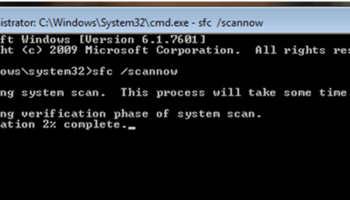
If you did many changes in your computer and suddenly become unstable, you can fix the problem by going to safe mode and undo the changes by restoring your computer settings to previous working restore point. Safe mode is also used when the computer doesn’t boot normally due to driver or application error.
Here’s the guide how to start the computer through safe mode
- immediately after the computer is powered on or restarted
- press the F8 key in 1 second intervals
- the computer reads hardware information and runs a memory test
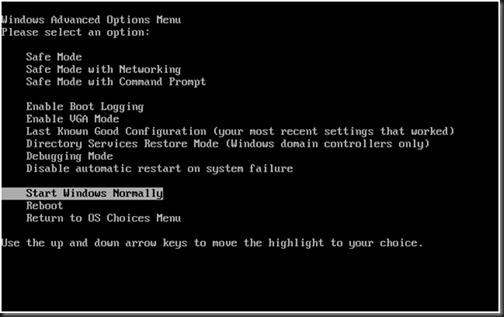
- the Advanced Boot Options menu will appear
- select safe mode
the computer will load the necessary files and if the account has a password, just provide and hit enter.
The computer loads up and you notice that the display is in VGA Mode. This time some drivers are not loaded into the system and you can’t even use some application such as audio and video editing software or high end games.
In Safe Mode You can do the following:
- troubleshooting the windows system
- checking the hard disk drive for possible system files error
- some basic maintenance such as cleaning the computer temporary files
- uninstalling some device driver but not all
- uninstalling browser add-ons
- fixing registry errors and more
The safe mod is designed to troubleshoot any minor problem of Windows startup problem.