This maintenance is recommended once a month to maintain the disk drive reliability. Disk checking maintenance can check damage file system, folders and fix it own.
The Disk Checking Procedure:
- Open My Computer
- Right-click the Windows operating system drive that you want to check, usually C:
- Click Properties Tap, Click tools
- under Error-checking, click Check now
- At click disk options select or check the following
- Automatically fix file system errors
- Scan for and attempt recovery of bad sectors.
- Click Start.
The Fix can be used to the following Windows operating System:
- Windows 7
- Windows XP
- Windows Vista
- Windows 8
- Windows 8.1
- Windows Server
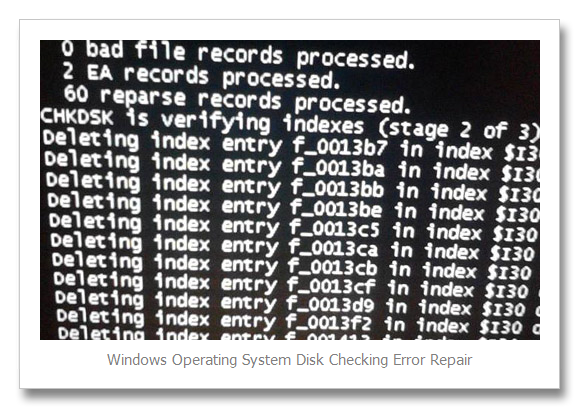
If the message appears do you want to restart your computer, select yes and restart the computer. The scanning of disk drive will start later on. And if there is an error of the file system or files, it appear like this:
You may also check this
Video of disk checking using windows installer abd typing chkdsk in command prompt





Comments are closed.