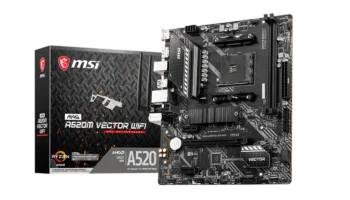
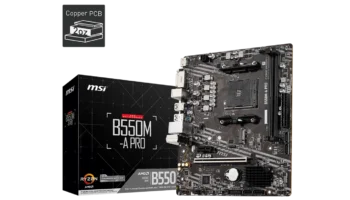
The MSI B450M-A PRO MAX II is a budget-friendly, micro-ATX motherboard built to support a wide range of AMD Ryzen processors, from the early 1000 series to the more recent Ryzen 5000 series.
With its compact form factor, solid build quality, and essential features, it’s a strong choice for those looking to build a reliable PC without breaking the bank.
Key Features and Specification
- Chipset: AMD B450
- Socket: AM4
- CPU Compatibility: Supports AMD Ryzen™ 5000, 4000 G-Series, 3000, 2000, and even Athlon™ processors.
- Memory: Dual-channel DDR4 with up to 64GB of memory and overclocking support up to 4133 MHz via A-XMP mode.
- Storage: One M.2 slot (PCIe 3.0 x4/SATA) and four SATA 6Gbps ports.
- Expansion Slots: One PCIe 3.0 x16 and one PCIe 2.0 x1 slot.
- Onboard Graphics: HDMI and DVI-D ports, supporting up to 4K resolution (on compatible CPUs).
- Audio: Realtek® ALC897 7.1-channel HD audio codec.
- LAN: Realtek® 2.5Gbps LAN for fast wired internet connectivity.
- USB: 4x USB 2.0, 4x USB 3.2 Gen 1 ports.
Compatibility and Performance
CPU Compatibility
The B450M-A PRO MAX II offers wide compatibility across AMD’s Ryzen CPU lineup, ensuring that it works with processors from the entry-level Athlon™ with integrated Radeon Vega graphics all the way up to high-performance Ryzen 9 5000 series CPUs. This versatility makes it ideal for users who want to upgrade to a newer processor without replacing the entire motherboard.
Memory Support
With its dual DDR4 memory slots, you can install up to 64GB of RAM, which is more than enough for multitasking, content creation, and gaming. It supports a wide range of memory speeds, with overclocking up to 4133 MHz for those who want to push performance further.
Graphics Compatibility
The PCIe 3.0 x16 slot ensures good compatibility with modern graphics cards, making this motherboard suitable for budget and mid-tier gaming builds. However, since it only has one PCIe x16 slot, multi-GPU setups are not supported.
Storage and Expansion
The motherboard features a single M.2 slot (PCIe 3.0 x4/SATA), which is a great addition for faster storage devices like NVMe SSDs. This will allow for lightning-fast boot times and quick file access. Additionally, it comes with four SATA 6Gbps ports, giving you the flexibility to add traditional SSDs or hard drives in RAID 0, 1, or 10 configurations.
The B450M-A PRO MAX II’s expansion options are limited but sufficient for most standard setups. The presence of one PCIe 3.0 x16 slot allows for a GPU installation, while a PCIe 2.0 x1 slot is available for additional peripherals like a sound card or network adapter.
Cooling and Power
The motherboard is equipped with a single CPU fan header and a system fan header, which is typical for budget motherboards but limits high-end cooling solutions. If you’re planning a system with more advanced air or liquid cooling, you’ll need to manage your fan connectors carefully or use fan splitters/hubs.
The VRM (Voltage Regulator Module) is decent for a board in this price range, capable of handling the power requirements of most Ryzen processors. However, it may struggle with more power-hungry CPUs, especially during overclocking or under sustained heavy loads. This makes it better suited for Ryzen 5 or Ryzen 7 builds rather than the high-end Ryzen 9 processors.
Audio and Networking
Audio
The Realtek ALC897 audio codec provides decent onboard sound for basic gaming and media consumption. While it won’t satisfy audiophiles or professional content creators, it delivers clear and balanced audio output for general users.
Networking
Networking is handled by a Realtek 2.5Gbps LAN, a standout feature on a motherboard at this price point. This provides fast and stable wired internet, which is particularly useful for gaming and streaming.
Back Panel Ports
The back panel of the B450M-A PRO MAX II includes:
- 2x USB 2.0 ports for peripherals.
- 4x USB 3.2 Gen 1 5Gbps ports for faster data transfer.
- DVI-D and HDMI™ outputs for display (when using a compatible APU).
- 2.5Gbps LAN port.
- Audio jacks for a 7.1-channel audio setup.
Pricing and Where to buy the MSI B450M-A PRO MAX II
The MSI B450M-A PRO MAX II is an excellent value for budget-conscious builders. The price for brand-new units typically ranges from PHP 4,000 – 4,500 (approximately $70 – $80 USD) depending on availability and retailer, though the exact amount may vary.
Refurbished or used versions of this motherboard are available for around PHP 3,700 (roughly $65 USD), offering even more savings for those looking for a cost-effective solution.
Pros and Cons
Pros:
- Wide CPU compatibility, supporting Ryzen 1000 to 5000 series processors.
- Affordable price, great for budget builds.
- M.2 PCIe 3.0 x4 slot for fast storage.
- Realtek 2.5Gbps LAN, which is uncommon in this price range.
- Supports memory overclocking up to 4133 MHz.
Cons:
- Limited expansion options with only one PCIe x16 and one PCIe x1 slot.
- Only two DIMM slots for RAM, which may limit future upgrades.
- Basic VRM design, not ideal for high-end overclocking or power-hungry CPUs.
- Limited fan headers, restricting advanced cooling setups.
Who Should Use the MSI B450M-A PRO MAX II?
The MSI B450M-A PRO MAX II is an ideal motherboard for:
Budget PC builders
It offers excellent value and compatibility with a wide range of Ryzen CPUs.
Casual gamers
Combined with a Ryzen 5 or Ryzen 7 processor and a mid-range GPU, this board can handle most gaming tasks.
Office or home users
Its affordability and basic feature set make it a solid choice for non-gaming builds.
Small form factor builds: Its micro-ATX size allows it to fit in compact cases without sacrificing essential features.
Unboxing Video Summary of MSI B450M-A PRO MAX II
The unboxing of the MSI B450 TOMAHAWK MAX II shows the motherboard’s clean and sturdy design with a military-inspired aesthetic. Key ports include HDMI, DVI-D, USB 3.2 Gen 2 Type-C and Type-A, and multiple SATA connectors.
The board features a reinforced PCIe x16 slot for graphics cards, ample heatsinks for cooling, and an easy-access Flash BIOS button. Accessories include SATA cables, I/O shield, and documentation. Overall, the build quality and layout are geared towards gamers and DIY PC builders.
Final Verdict
The MSI B450M-A PRO MAX II is a fantastic choice for those building a budget or mid-range system. With its wide CPU compatibility, fast networking, and support for M.2 storage, it provides all the essentials for a smooth computing experience at a highly affordable price.
However, it’s not designed for high-end overclocking or enthusiasts looking for extensive expandability. For anyone else, it’s a great motherboard that offers a lot of value for its price.
How to Download Drivers on MSI B450M-A PRO MAX II
To download drivers for the MSI B450M-A PRO MAX II, visit MSI’s official website and search for your motherboard model. Under the Support section, select Drivers & Downloads. Choose your operating system (e.g., Windows 10 64-bit or Windows 11), then download the necessary drivers like chipset, LAN, audio, and others.
Once downloaded, install each driver one at a time, following the on-screen prompts. After all drivers are installed, restart your computer to ensure proper functionality.
How to Update BIOS on MSI B450M-A PRO MAX II
To update the BIOS, download the latest BIOS version from the MSI Support page for the B450M-A PRO MAX II. Extract the downloaded file and save it to a FAT32-formatted USB drive. Restart your PC, press Delete to enter the BIOS, and navigate to M-Flash. Select the BIOS update option, choose the USB drive, and follow the prompts to start the update. Ensure your PC stays powered on during the process, and it will reboot automatically when the update completes.
To download the latest Drivers and BIOS for the MSI B450M-A PRO MAX II, visit the official MSI Support page, search for your motherboard model, and navigate to the BIOS section for the latest updates here.