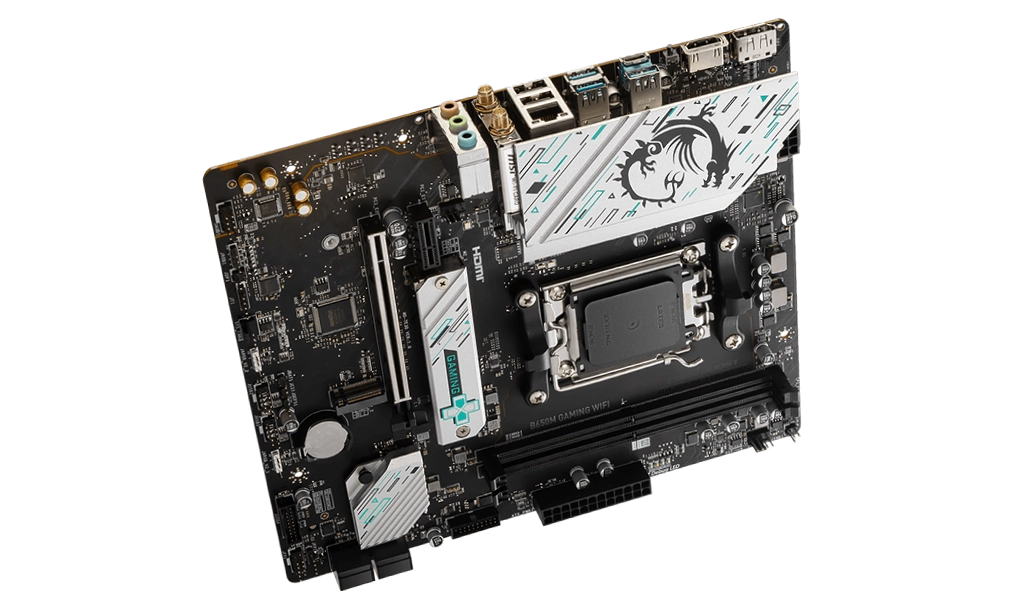
The MSI B650M GAMING WIFI is a micro-ATX motherboard designed for AMD Ryzen users who seek a balance between performance and value. Tailored for gamers and multitaskers, this board brings together the latest AM5 socket, DDR5 support, Wi-Fi 6E, and high-speed connectivity options.
This review explores the board’s features, compatibility, and performance, helping you decide if the MSI B650M GAMING WIFI is the right choice for your next build.
Key Features and Specifications
- Motherboard Model: MSI B650M GAMING WIFI
- Socket: AM5
- Chipset: AMD B650
- Memory Support: 2x DDR5 DIMM slots, up to 128GB, with overclocking up to 7800MHz+
- PCI-E Slots: 1x PCIe x16 (PCIe 4.0) slot for discrete graphics
- 1x PCIe x1 slot for additional expansion
- Storage Options: 2x M.2 slots (PCIe 4.0 x4) for fast NVMe SSDs
- 4x SATA 6G ports for traditional drives
- USB Ports: Rear: 4x USB 5Gbps Type-A, 3x USB 10Gbps Type-A, 1x USB 10Gbps Type-C
- Front: 4x USB 2.0, 2x USB 5Gbps Type-A
- Networking: Realtek 2.5G LAN for fast wired networking
- Wi-Fi 6E and Bluetooth 5.3 for reliable wireless connectivity
- Audio: Realtek ALC897 Codec, 7.1-Channel High Definition Audio
- Video Output: HDMI 2.1 and DisplayPort 1.4 for integrated graphics support
- Form Factor: Micro-ATX (243.84mm x 243.84mm)
Compatibility and Performance
CPU Compatibility
The MSI B650M GAMING WIFI supports AMD Ryzen 7000, 8000, and 9000 series processors, offering flexibility across AMD’s latest multi-core CPUs. This compatibility makes it ideal for gaming, streaming, and multitasking.
The AM5 socket not only supports powerful processors but also future-proofs the system, allowing users to upgrade as newer Ryzen CPUs are released.
Memory Compatibility
With 2 DDR5 DIMM slots, this motherboard supports up to 128GB of DDR5 memory at speeds reaching 7800MHz with overclocking. This high memory bandwidth is excellent for gaming, high-resolution content creation, and multitasking.
Additionally, AMD EXPO support simplifies memory overclocking, enabling users to boost performance with ease. The DDR5 format ensures reduced latency and improved efficiency, enhancing the system’s responsiveness and load times in demanding tasks.
Graphics Compatibility
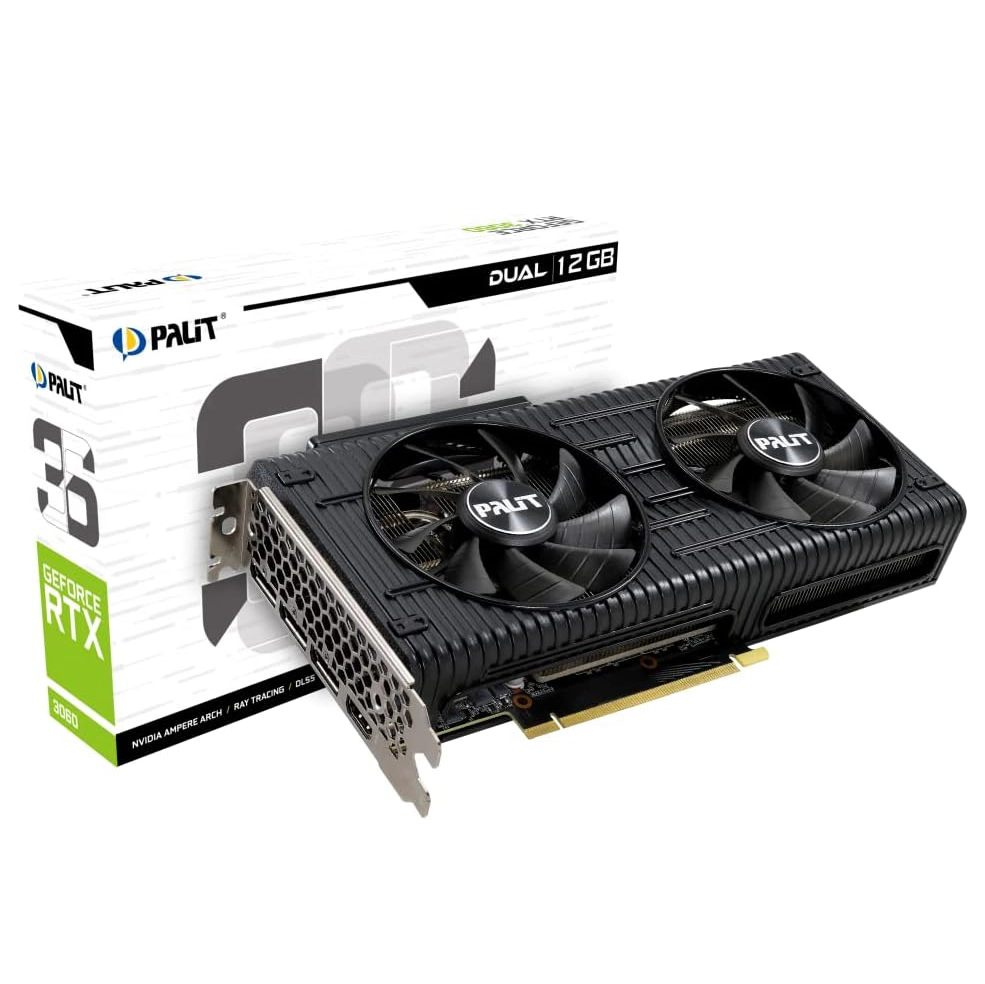
The MSI B650M GAMING WIFI is equipped with a PCIe 4.0 x16 slot, making it a solid choice for pairing with a discrete GPU for high-end gaming and graphics tasks. For users planning to install a GPU like the NVIDIA RTX 3060/4060 or AMD RX 6600/6700 XT, this board offers the bandwidth needed for stable and smooth gaming performance.
For those utilizing integrated graphics, the board features HDMI 2.1 and DisplayPort 1.4 outputs, both supporting 4K at 60Hz. This makes the board a good choice for users focused on light gaming, media consumption, or office tasks without the need for a dedicated graphics card.
Storage and Expansion
With 2x M.2 PCIe 4.0 slots and 4x SATA 6G ports, the MSI B650M GAMING WIFI provides flexibility in storage options. The M.2 slots support high-speed NVMe SSDs, which are ideal for fast boot times and reduced load times in applications and games.
Additionally, RAID 0, 1, and 10 support is available for both M.2 and SATA devices, enabling users to balance performance and data redundancy.
Power and Cooling
The MSI B650M GAMING WIFI offers a straightforward cooling setup, with 1x CPU fan header, 1x pump fan header, and 3x system fan headers. This configuration is well-suited to mid-range gaming systems and multitasking builds.
The pump fan header allows for AIO liquid cooling support, which is useful for users who plan to push their CPU performance through light overclocking.
Power Supply Recommendations
Integrated Graphics Builds: A 450W–550W PSU is recommended, such as the Corsair CV450 or EVGA 500 W1.
Discrete Graphics Builds
- For mid-range GPUs (e.g., RTX 3060/4060), a 650W PSU like the Corsair RM650 will provide reliable power.
- For high-end GPUs (e.g., RTX 4070), a 750W PSU such as the EVGA SuperNOVA 750 G5 is recommended.
Connectivity and Networking
This motherboard provides a range of USB connectivity options, including USB 10Gbps Type-C for fast file transfers and multiple USB 5Gbps Type-A ports for peripherals.
Realtek 2.5G LAN delivers fast and stable wired networking, while Wi-Fi 6E and Bluetooth 5.3 allow for cutting-edge wireless connections, ideal for gaming, streaming, and working without interruptions.
Pricing and Availability
Price in the Philippines: PHP 11,500 (~USD 200)
With a price tag of PHP 11,500, the MSI B650M GAMING WIFI offers excellent value, providing high-end connectivity and solid performance features suited for gaming and productivity.
Pros and Cons
Pros
- Future-Proof with AM5 Socket: Supports Ryzen 7000, 8000, and 9000 series CPUs.
- DDR5 Memory Support: Up to 128GB with speeds up to 7800MHz.
- Fast Wireless Connectivity: Equipped with Wi-Fi 6E and Bluetooth 5.3.
- Ample Storage Options: Dual M.2 PCIe 4.0 slots and RAID support.
Cons
- Limited to PCIe 4.0: Lacks PCIe 5.0 support, though PCIe 4.0 remains sufficient for most current GPUs.
- Basic Audio Codec: The Realtek ALC897 codec may not satisfy users who need higher audio fidelity.
Who Should Use the MSI B650M GAMING WIFI?
The MSI B650M GAMING WIFI is a great choice for gamers, multitaskers, and productivity users who need a cost-effective yet feature-rich motherboard. Its high memory support, robust connectivity, and cooling options make it a strong foundation for mid-range to high-performance builds.
Final Verdict
The MSI B650M GAMING WIFI provides a reliable and future-proof platform for users who want the latest features without overspending. With DDR5 support, PCIe 4.0 slots, and Wi-Fi 6E, it strikes an ideal balance between performance and value. For PHP 11,500 (~USD 200), it’s an excellent choice for a gaming or productivity-focused PC that’s built to last.
How to Download MSI B650M GAMING WIFI Driver and BIOS Update
To download the latest drivers and BIOS for the MSI B650M GAMING WIFI, visit the official MSI Support page. Search for your motherboard model and select your operating system (e.g., Windows 10 or Windows 11 64-bit) under the Drivers & Downloads section. Download essential drivers such as chipset, LAN, audio, and Wi-Fi to ensure your system runs smoothly and efficiently.
Steps for a BIOS Update
- Visit the MSI Support page and download the latest BIOS version for the MSI B650M GAMING WIFI.
- Save the BIOS file to a FAT32-formatted USB drive.
- Restart your PC and press the Delete key during startup to enter the BIOS menu.
- Navigate to the M-Flash utility in the BIOS menu.
- Select the BIOS file from the USB drive and follow the on-screen instructions to complete the update.
⚠️ Important: Keep your PC powered on during the update process to prevent interruptions. Your system will reboot automatically after the update is successfully installed.
Visit the official MSI Support page regularly to keep your MSI B650M GAMING WIFI drivers and BIOS updated, ensuring optimal performance and compatibility for your gaming or multitasking setup.