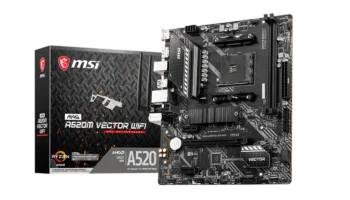
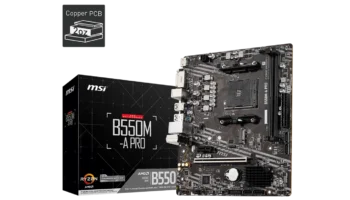
The MSI PRO B550M-VC WIFI is a versatile and compact Micro-ATX motherboard built to handle mid-range gaming, productivity, and workstation builds. Equipped with the AMD B550 chipset, PCIe 4.0, and Wi-Fi 6E connectivity, this board offers great value for users seeking solid performance at a reasonable price.
Price in the Philippines: Based on gathered data, the brand-new price is around PHP 7,500 (~$130 USD).
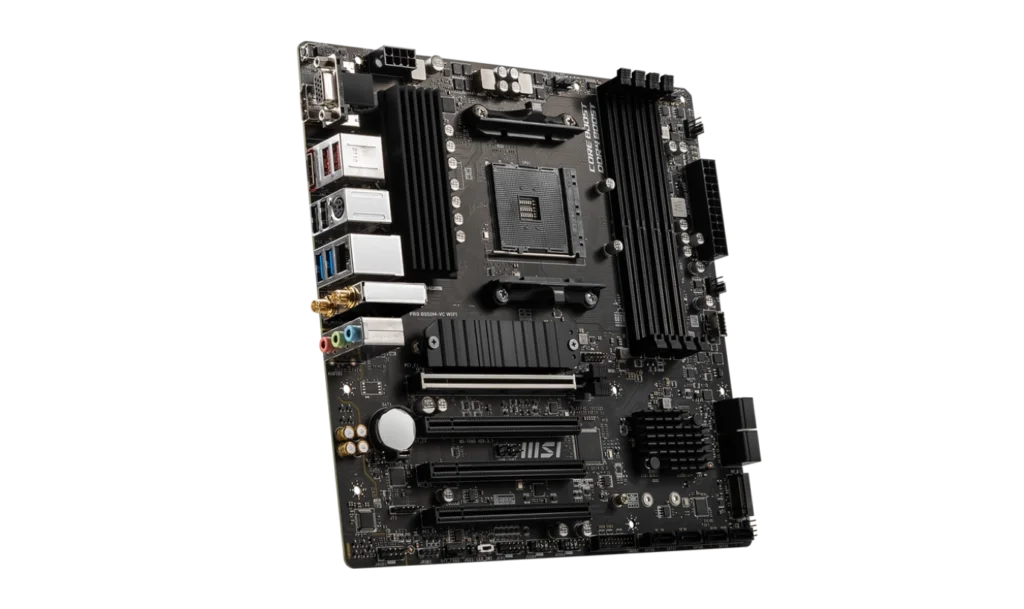
Key Features and Specifications
- Motherboard Model: MSI PRO B550M-VC WIFI
- Socket: AMD AM4
- Chipset: AMD B550
- Memory Channels: Dual
- DIMM Slots: 4, supporting up to 128GB DDR4
- PCI-E Slots: 1x PCIe 4.0/3.0 x16 (for GPUs), 3x PCIe 3.0 x1 slots for expansion cards
- Storage: 8x SATA 6Gb/s ports (4 from the AMD B550 chipset and 4 from the ASMedia chipset)
- 2x M.2 slots for NVMe SSDs (M2_1 supports PCIe 4.0)
- RAID: Supports RAID 0, RAID 1, and RAID 10 for SATA and RAID 0 and RAID 1 for M.2 NVMe drives
- USB Ports: Front: 1x USB 3.2 Gen 1 (Type-C), 2x USB 3.2 Gen 1 (Type-A)
- Rear: 2x USB 3.2 Gen 2 (Type-A), 2x USB 3.2 Gen 1 (Type-A), 4x USB 2.0 (Type-A)
- Networking: Realtek 1Gbps LAN and AMD Wi-Fi 6E with Bluetooth 5.2
- Audio: Realtek ALC892/ALC897 Codec, 7.1-channel HD audio
- Graphics Output: 1x HDMI 2.1, 1x DisplayPort, and 1x VGA (for older monitors)
- Form Factor: Micro-ATX (24.4 cm x 24.4 cm)
Performance and Compatibility
CPU Compatibility
The MSI PRO B550M-VC WIFI motherboard supports a broad range of AMD Ryzen processors, including the powerful Ryzen 5000 Series, Ryzen 4000 G-Series, and Ryzen 3000 Series processors. With the AM4 socket and a robust AMD B550 chipset, this motherboard provides the versatility and performance needed for a variety of tasks, from gaming to productivity and even content creation.
Recommended Processors
- For Integrated Graphics: AMD Ryzen 7 5700G, Ryzen 5 5600G
- For Dedicated GPUs: AMD Ryzen 9 5900X, Ryzen 7 5800X, Ryzen 5 5600X
These processors deliver high performance, leveraging the PCIe 4.0 support and stable power delivery of the MSI PRO B550M-VC WIFI for smooth multitasking, gaming, and rendering.
BIOS Requirements and Issues for Modern Ryzen CPUs
When using newer Ryzen processors such as the Ryzen 5000 Series, the motherboard might require a BIOS update to unlock full compatibility. Users should check the BIOS version before installation, as older firmware might not recognize newer CPUs. Updating the BIOS can resolve these issues, and the process can be completed using MSI’s Flash BIOS feature.
This motherboard’s Flash BIOS button feature ensures you can update the BIOS without needing a CPU or RAM installed, which is particularly helpful for Ryzen 5000 Series processors.
Generations of Ryzen CPUs No Longer Supported
It’s important to note that some older Ryzen processors, such as the Ryzen 2000 Series APUs (e.g., Ryzen 3 2200G, Ryzen 5 2400G), and Ryzen 1000 Series CPUs, are no longer supported on the MSI PRO B550M-VC WIFI. This limitation stems from the chipset’s focus on supporting PCIe 4.0 and newer features, which aren’t backward-compatible with older architectures.
Users looking to upgrade from these older processors will need to transition to a newer Ryzen CPU compatible with the AM4 socket and supported by the B550 chipset.
Memory Compatibility
The board features four DIMM slots with support for up to 128GB of DDR4 memory. With A-XMP OC mode, memory can be overclocked up to 4400 MHz, which is ideal for high-performance gaming and demanding workloads like video editing.
Graphics Compatibility – expand
For users with Ryzen G-Series processors, the board supports:
- HDMI 2.1: Up to 4K @ 60Hz for ultra-high-definition monitors.
- DisplayPort 1.2: Also supports 4K @ 60Hz, offering versatility for multi-monitor setups.
- VGA: Provides legacy support for older monitors.
Storage and Expansion
Storage
This motherboard offers robust storage options:
- 2x M.2 slots: The primary M2_1 slot, connected directly to the CPU, supports PCIe 4.0, which allows for lightning-fast transfer speeds. The secondary M2_2 slot supports PCIe 3.0 speeds.
- 8x SATA ports: With an impressive 8 SATA III ports, the board provides ample support for users with multiple storage devices.
Expansion Slots
The MSI PRO B550M-VC WIFI has:
- 1x PCIe 4.0 x16 slot for your primary GPU, offering support for the latest high-performance graphics cards.
- 3x PCIe 3.0 x1 slots for additional expansion, like sound cards or network adapters.
Connectivity and Ports
USB Connectivity
The board offers great flexibility for connecting peripherals:
- Front I/O: 1x USB 3.2 Gen 1 (Type-C) and 2x USB 3.2 Gen 1.
- Rear I/O: 2x USB 3.2 Gen 2 (10Gbps), 2x USB 3.2 Gen 1 and 4x USB 2.0.
Audio
The Realtek ALC892/ALC897 Codec provides 7.1-channel HD audio, which delivers decent sound quality for gaming, media consumption, and basic content creation. While it’s sufficient for everyday use, audiophiles may still prefer to use a dedicated sound card for premium audio quality.
Networking
Wired LAN: The Realtek 1Gbps LAN controller offers stable and fast wired internet connections, sufficient for most gaming and productivity tasks.
Wi-Fi 6E and Bluetooth 5.2: The inclusion of Wi-Fi 6E ensures fast wireless networking with the added bonus of Bluetooth 5.2, enabling low-latency wireless peripherals.
Cooling and Power
Cooling
The board comes with a solid array of fan connectors, including:
- 1x 4-pin CPU fan connector
- 1x 4-pin water pump connector
- 3x 4-pin system fan connectors
This provides flexibility for users who wish to install liquid cooling or multiple system fans, ensuring stable temperatures during intense workloads.
Power
The board is powered by a 24-pin ATX main connector and an 8-pin ATX 12V connector, which provides sufficient power for mid-range systems with Ryzen processors and high-end GPUs.
Pricing and Value
At PHP 7,500 (~$130 USD), the MSI PRO B550M-VC WIFI provides exceptional value for users looking to build a modern, mid-range gaming or productivity system. The inclusion of Wi-Fi 6E, PCIe 4.0, and high-speed USB ports makes it competitive in its price range.
Pros and Cons
Pros
- Wi-Fi 6E and Bluetooth 5.2 for fast, future-proof wireless connectivity.
- PCIe 4.0 support: Ideal for the latest high-performance GPUs and NVMe drives.
- Ample storage: 2x M.2 slots and 8x SATA ports for plenty of storage expansion.
- USB 3.2 Gen 2: Fast USB connectivity for external storage and modern peripherals.
- High memory capacity: Supports up to 128GB of RAM with fast overclocking potential.
Cons:
- No integrated graphics on non-G-series processors: Users without integrated graphics will need a dedicated GPU.
- Basic audio codec: Sufficient for general use, but may not satisfy audiophiles.
Who Should Buy the MSI PRO B550M-VC WIFI?
The MSI PRO B550M-VC WIFI is a great fit for:
- Mid-range gamers: Those looking for a cost-effective motherboard with PCIe 4.0 support for modern GPUs.
- Productivity users: Ideal for users requiring multiple storage devices or fast wireless networking for home office setups.
- Future-proof builders: Wi-Fi 6E, PCIe 4.0, and USB 3.2 Gen 2 make this board well-suited for future upgrades.
Final Verdict
The MSI PRO B550M-VC WIFI strikes a balance between performance, features, and price, making it a solid option for anyone building a mid-range AMD-based system. With modern features like Wi-Fi 6E, PCIe 4.0, and a strong selection of USB ports, it ensures your system will stay relevant for years to come, while still fitting within a reasonable budget.
Whether you’re building a gaming PC, a workstation, or a general-use computer, this motherboard provides excellent flexibility and performance for the price.
How to Download MSI PRO B550M-VC WIFI Motherboard Driver and BIOS Update
To download the latest drivers and BIOS for the MSI PRO B550M-VC WIFI Motherboard, visit the official MSI Support page. Search for your motherboard model, then select your operating system (e.g., Windows 10 or Windows 11 64-bit) under the Drivers & Downloads section. Download essential drivers such as the chipset, LAN, and audio to ensure your system functions properly.
For a BIOS update, download the latest version, save it to a FAT32-formatted USB drive, and restart your PC. During startup, press the Delete key to enter the BIOS menu and navigate to M-Flash. Select the BIOS file from the USB drive and follow the on-screen instructions to complete the update. Make sure your PC remains powered on throughout the process, as it will reboot automatically upon completion.
Visit the MSI Support page to download all necessary drivers and BIOS updates for your motherboard.