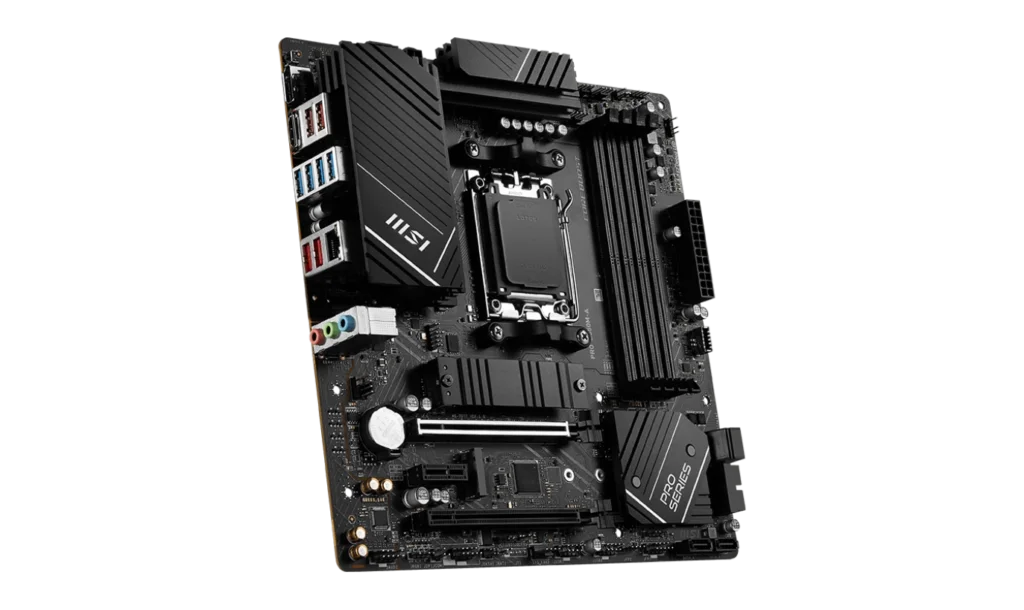
The MSI PRO B650M-A is a dependable and versatile mATX motherboard that balances performance, features, and affordability. With the AMD B650 chipset and AM5 socket, it supports the latest AMD Ryzen 7000, 8000, and 9000 series processors, making it an ideal choice for gamers, content creators, and professionals.
Designed with DDR5 memory support, advanced connectivity options, and robust storage capabilities, the PRO B650M-A is perfect for building modern systems that deliver reliability and efficiency.
Key Features
- Motherboard Model: MSI PRO B650M-A
- Socket: AM5
- Chipset: AMD B650
- Memory Support: 4x DDR5 DIMM slots, up to 256GB, Overclocking speeds up to 7200MHz (OC)
- PCI-E Slots: 2x PCIe x16 slots, 1x PCIe 4.0 x16 (From CPU), 1x PCIe 4.0 x4 (From Chipset), 1x PCIe 3.0 x1 for additional peripherals
- Storage Options: 2x M.2 PCIe 4.0 x4 slots for NVMe SSDs, 4x SATA 6G ports for traditional drives
- Networking: Realtek 2.5G LAN, AMD Wi-Fi 6E and Bluetooth 5.3
- Audio: Realtek ALC897 Codec with 7.1-Channel High-Definition Audio
- Video Output: HDMI 2.1 and DisplayPort 1.4 for integrated graphics
- Form Factor: mATX (243.84mm x 243.84mm)
Compatibility and Performance
CPU Compatibility
The MSI PRO B650M-A is powered by the AM5 socket, providing full compatibility with AMD Ryzen 7000, 8000, and 9000 series processors. Its ability to handle multi-core CPUs ensures excellent performance for gaming, multitasking, and demanding workloads such as video editing or 3D rendering.
Memory Compatibility
With 4 DDR5 DIMM slots, the motherboard supports up to 256GB of DDR5 memory, with overclocking speeds reaching 7200MHz. The inclusion of AMD EXPO technology simplifies memory overclocking, allowing users to boost performance for demanding applications like gaming, video production, and heavy multitasking.
Graphics Compatibility
The board features 2 PCIe x16 slots, supporting GPUs like the NVIDIA RTX 3000/4000 series or AMD RX 6000/7000 series, ensuring smooth gameplay and seamless 3D rendering.
For users relying on integrated graphics, the HDMI 2.1 and DisplayPort 1.4 outputs support 4K resolution at 60Hz, making it suitable for productivity tasks or media consumption without a discrete GPU.
Power and Cooling
The MSI PRO B650M-A provides a comprehensive cooling solution with 1x CPU fan header, 1x pump fan header, and 3x system fan headers. This setup ensures efficient cooling for various workloads, from basic desktop use to intensive gaming sessions.
Power Supply Recommendations
- Integrated Graphics Builds: A 450W–550W PSU (e.g., Cooler Master MWE 550 Bronze V2) is sufficient.
- Discrete Graphics Builds:
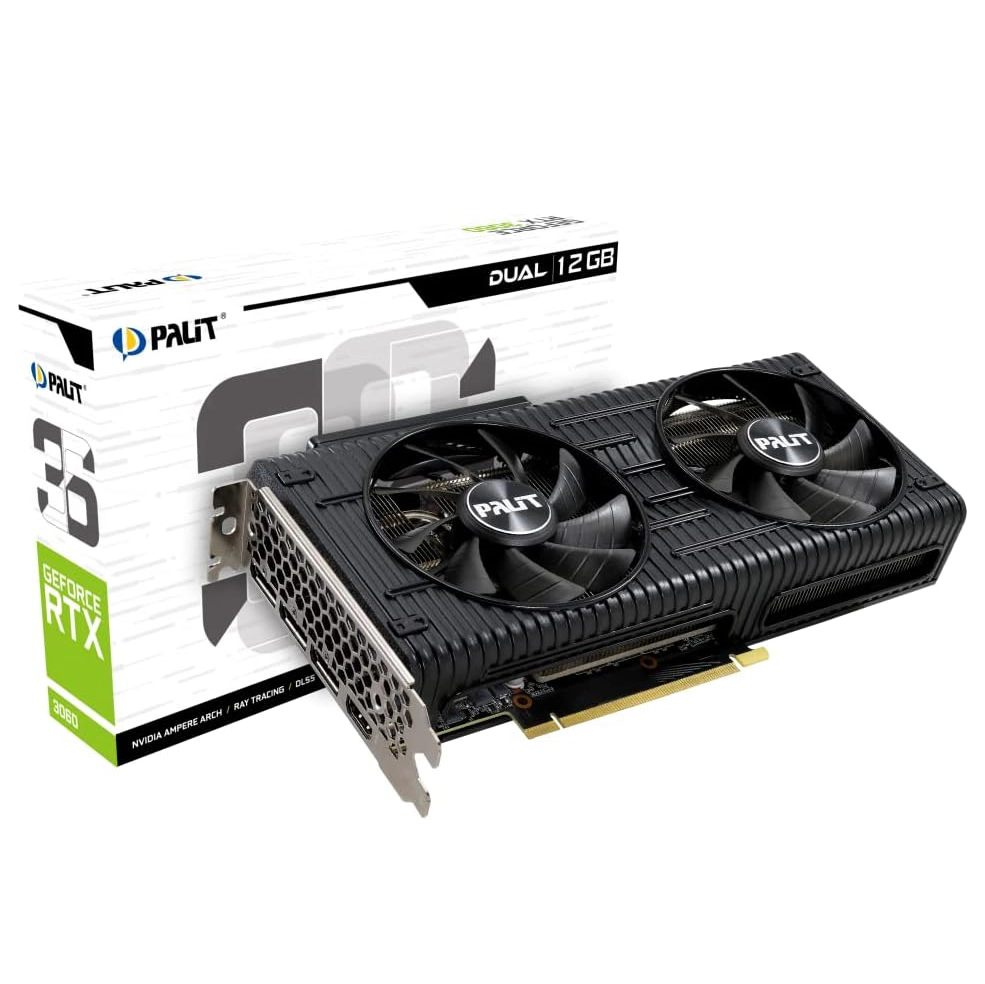
- For GPUs like the RTX 3060 Ti, a 650W PSU (e.g., Seasonic Core GC-650) is recommended.
- For high-end GPUs such as the RTX 4080 or RX 7900 XT, an 850W PSU (e.g., Corsair RM850x) ensures stability and performance.
Storage and Expansion
The motherboard supports 2x M.2 PCIe 4.0 x4 slots, offering ultra-fast storage for NVMe SSDs. These slots are ideal for high-speed boot drives or gaming libraries.
In addition, the 4x SATA 6G ports provide flexibility for traditional HDDs and SSDs, catering to users with large storage needs. With support for RAID 0, 1, and 10, users can configure their drives for maximum performance or data redundancy.
Connectivity and Networking
The Realtek 2.5G LAN ensures a fast, stable wired connection suitable for gaming, streaming, or file transfers. AMD Wi-Fi 6E offers cutting-edge wireless speeds and reduced latency, even in crowded environments, while Bluetooth 5.3 allows seamless connectivity with wireless peripherals.
For USB connectivity, the motherboard includes:
- 4x USB 10Gbps Type-A and 1x USB 10Gbps Type-C for fast data transfers.
- Multiple USB 5Gbps and USB 2.0 ports for compatibility with a wide range of devices.
Pricing and Availability
- Price in the Philippines: PHP 12,300–12,800 (~USD 220–230)
The MSI PRO B650M-A is available through online platforms like Lazada and Shopee, as well as in local PC stores. Its competitive pricing makes it an excellent choice for budget-conscious builders seeking advanced features.
Pros and Cons
Pros
- AM5 Socket: Future-proof compatibility with Ryzen 7000 series and beyond.
- DDR5 Memory Support: Overclocking speeds up to 7200MHz.
- Dual PCIe x16 Slots: Supports powerful discrete GPUs and expansion options.
- Wi-Fi 6E and Bluetooth 5.3: Reliable and fast wireless connectivity.
- Compact Form Factor: Ideal for space-saving mATX builds.
Cons
- No PCIe 5.0 Support: Limited to PCIe 4.0 for GPUs and storage.
- Basic Audio Codec: Realtek ALC897 may not satisfy audiophile users.
Who Should Use the MSI PRO B650M-A?
The MSI PRO B650M-A is perfect for gamers, content creators, and professionals building a compact PC. With its support for DDR5 memory, dual M.2 slots, and Wi-Fi 6E, it caters to users needing a powerful yet space-efficient motherboard.
Final Verdict
The MSI PRO B650M-A delivers a well-rounded package of performance, features, and value. It supports the latest AMD Ryzen processors, offers high-speed DDR5 memory, and includes cutting-edge connectivity.
Priced between PHP 12,300 and 12,800, it’s an excellent option for building a modern mid-range PC without overspending. Whether you’re gaming, multitasking, or working professionally, the MSI PRO B650M-A is a solid foundation for your next build.
How to Download MSI PRO B650M-A Driver and BIOS Update
To download the latest drivers and BIOS for the MSI PRO B650M-A, visit the official MSI Support page. Search for your motherboard model, then select your operating system (e.g., Windows 10 or Windows 11 64-bit) under the Drivers & Downloads section. Download essential drivers such as chipset, LAN, and audio to ensure your system runs smoothly and efficiently.
For a BIOS update
- Download the latest BIOS version and save it to a FAT32-formatted USB drive.
- Restart your PC and press the Delete key during startup to enter the BIOS menu.
- Navigate to the M-Flash option, select the BIOS file from your USB drive, and follow the on-screen instructions.
Important: Ensure your PC remains powered on throughout the BIOS update process, as the system will reboot automatically to complete the update.
Visit the MSI Support page to download all the necessary drivers and BIOS updates for your MSI PRO B650M-A motherboard.