The Asus RT-N10 is a 150 Mbps Wireless N Router with both wired and wireless network connections designed specifically for small business and home office networking use. It is able to create an extended wireless network coverage area.
The Asus RT N150 Interface
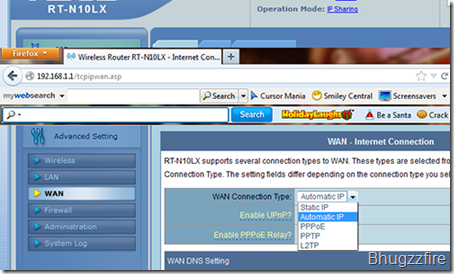
WAN Interface:
The place where to Set-up your Internet connection. If you don’t know what type of connection you have, just call the ISP service provider.
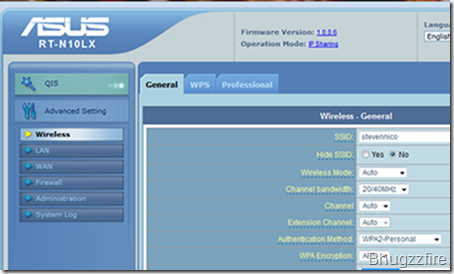
Wireless Interface:
The place where you set your wireless connectivity
- SSID: The name you see in your wireless gadget
- Hide SSID: No by default
- Wireless Mode: It’s better stay to default
- Channel Bandwidth:20/40 Mhz recommended
- Authetication Method: Select what is best for you
- WPA Encryption: Select what is best for you
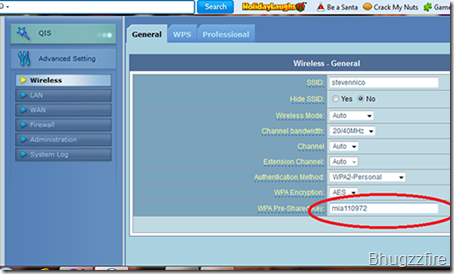
Same as password, this is the information you need to enter when you connect the wifi.
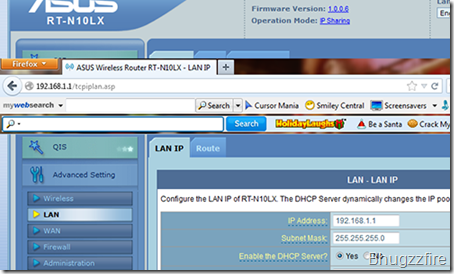
LAN Interface:
The place where you configure the local access of your network. Leave by default if your not familiar with but be sure that the Enable the DHCP Server is selected.


