close
Software Fixes

Update the Expired Eset Antivirus Keys Username and Password

If your Eset Products Username and Password expires, here’s the guide on how to change or enter the new username and password your bought.
Follow this guide:

Open Eset Antivirus
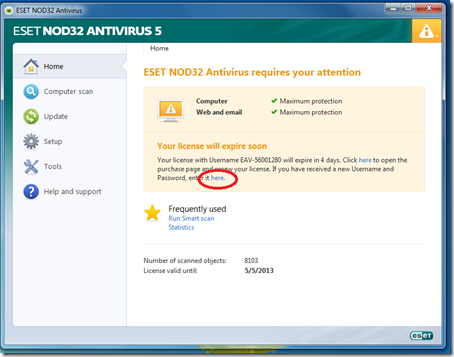
eset interface

The Eset Antivirus Interface

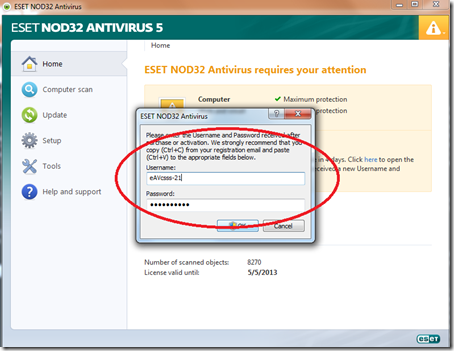
eset username

Paste the Username and Password

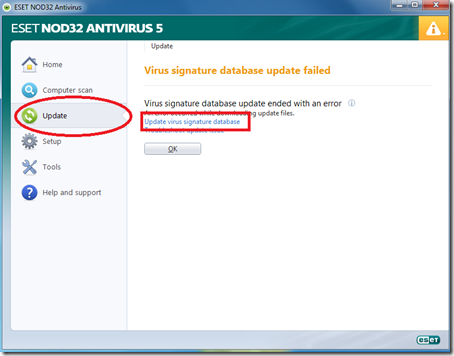
databasenod32

Click Update, then click Update Username and Password

Done! This Antivirus is compatible to Windows 7, Windows XP, Windows Vista and Windows 8

PCINGREDIENT

The author PCINGREDIENT

Our blog offers step-by-step repair instructions for disassembling electronics, along with the latest updates on tech products and reviews. With our passion for technology and my expertise in problem-solving, I strive to provide valuable insights and practical solutions to help readers overcome their tech-related issues.