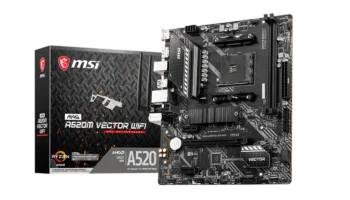
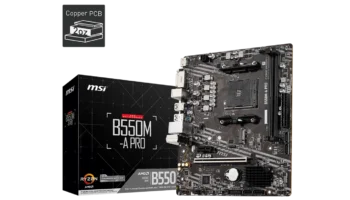
The MSI B450M BAZOOKA MAX WIFI is a micro-ATX motherboard designed for AMD Ryzen processors, offering a robust feature set for gamers and PC builders looking for a compact, affordable motherboard with built-in Wi-Fi. The board is part of MSI’s popular “Bazooka” series, known for offering solid performance and essential features at an affordable price.



With support for Ryzen 1st, 2nd, and 3rd generation CPUs, this board is highly versatile and future-proof for budget-conscious builders.
Key Features and Specifications:
- Motherboard Model: MSI B450M BAZOOKA MAX WIFI
- Chipset: AMD B450
- Socket: AM4
- CPU Compatibility: Supports AMD Ryzen™ 1st to 3rd Gen processors, including Ryzen™ with Radeon™ Vega Graphics, and Athlon™ processors with Radeon™ Vega Graphics.
- Memory: 4x DDR4 DIMM slots, supporting up to 128GB of RAM and speeds up to 4133 MHz (with overclocking).
- Storage: 1x M.2 PCIe 3.0 x4 slot and 4x SATA 6Gbps ports.
- Expansion: 2x PCIe slots, including PCIe 3.0 x16.
- Networking: Built-in Wi-Fi with Intel Wireless-AC 3168, plus Realtek Gigabit LAN.
- Audio: Realtek® ALC892/ALC897 Codec with 7.1-channel support.
- USB: 4x USB 3.2 Gen 1 ports, 8x USB 2.0 ports.
- Form Factor: Micro-ATX (mATX).
Compatibility and Performance
CPU Support
The MSI B450M BAZOOKA MAX WIFI offers impressive CPU compatibility, supporting a wide range of AMD Ryzen processors across multiple generations. It’s compatible with 1st, 2nd, and 3rd generation Ryzen CPUs, giving users the flexibility to choose from various performance levels based on their needs.
This includes Ryzen processors with integrated Radeon Vega Graphics as well as Athlon processors with Vega Graphics, which is excellent for entry-level or budget builds that don’t require a separate GPU. Whether you’re planning a simple, cost-effective gaming system with an Athlon processor or a more robust build with a Ryzen 7 or even Ryzen 9, the B450M BAZOOKA MAX WIFI can handle it.
The AM4 socket also adds an element of future-proofing, allowing you to upgrade your processor within the Ryzen family without needing a new motherboard. This longevity makes it a great option for builders looking to grow their system over time.
Memory Support
Equipped with four DIMM slots, the B450M BAZOOKA MAX WIFI supports up to 128GB of DDR4 RAM, which is more than sufficient for most gaming, productivity, and multitasking needs. The board supports memory speeds ranging from 1866 MHz up to 4133 MHz with overclocking, thanks to MSI’s A-XMP OC MODE. For those interested in pushing performance, A-XMP allows for straightforward overclocking, which can deliver noticeable gains in memory speed and overall system responsiveness.
This wide memory support range ensures smooth performance across various applications—whether you’re running the latest games, rendering high-quality video content, managing large datasets, or even running virtual machines. The extensive memory capacity and overclocking headroom make it an ideal choice for multitasking and heavy workloads, offering a high-performance experience without breaking the bank.
Graphics Compatibility
For users interested in gaming, this motherboard pairs well with a range of discrete GPUs, providing the flexibility to build either an entry-level or mid-range gaming PC. While the B450M BAZOOKA MAX WIFI itself does not have built-in graphics capabilities, it works seamlessly with Ryzen APUs that include Radeon Vega Graphics, making it possible to build a capable system even without a dedicated graphics card.
For those who want higher graphics performance, pairing this motherboard with a dedicated GPU—such as an AMD Radeon RX or NVIDIA GTX series card—will allow for solid gaming performance at 1080p and, depending on the GPU choice, even 1440p resolutions.
Overall, the B450M BAZOOKA MAX WIFI is versatile, accommodating a wide range of builds from basic setups with integrated graphics to more powerful systems with dedicated GPUs, making it suitable for gamers, content creators, and general users looking for reliable performance and expandability.
Storage and Expansion
Storage options on the MSI B450M BAZOOKA MAX WIFI are solid for a board in this price range. It comes with:
- 1x M.2 PCIe 3.0 x4 slot, which is ideal for NVMe SSDs, delivering fast read/write speeds that significantly improve boot times and application load times.
- 4x SATA 6Gbps ports, allowing you to connect traditional SSDs or hard drives, with RAID 0, 1, and 10 support for data redundancy or performance enhancements.
This is adequate for most users, offering the right balance between cutting-edge storage and the capacity to handle larger, slower storage devices like HDDs.
Expansion Slots
For expansion, the board includes:
- 1x PCIe 3.0 x16 slot for a graphics card, running at full x16 speed with Ryzen processors.
- 1x PCIe 2.0 x16 slot running at x4 speed, which can be used for additional peripherals like a second GPU (although not ideal for gaming) or other expansion cards like a sound card or capture card.
Given the compact m-ATX form factor, the expansion options are well-suited for users who don’t need multi-GPU setups but still want room to add a graphics card and other peripherals.
Connectivity: Wi-Fi and LAN
One of the biggest advantages of the MSI B450M BAZOOKA MAX WIFI is its built-in Wi-Fi and Bluetooth functionality. The included Intel Wireless-AC 3168 module provides Wi-Fi up to 433 Mbps and Bluetooth 4.2, which is convenient for those who prefer wireless connections. While it’s not as fast as newer Wi-Fi 6 options, it’s more than sufficient for casual gaming, streaming, and general use.
For wired connections, the Realtek RTL8111H Gigabit LAN ensures fast and stable internet performance, making it suitable for gamers who prefer the low latency and stability of a wired connection.
Audio
The motherboard is equipped with the Realtek ALC892/ALC897 audio codec, offering 7.1-channel high-definition audio. This is standard for budget boards and provides clear, immersive sound for games and media. It won’t match the quality of dedicated sound cards, but it’s more than adequate for most users.
Back Panel Ports and Connectivity
The B450M BAZOOKA MAX WIFI includes a good range of ports for a motherboard of its size and price:
- 4x USB 3.2 Gen 1 Type-A ports for high-speed data transfer.
- 4x USB 2.0 ports for peripherals like keyboards and mice.
- 1x HDMI 2.0b port for connecting a display, supporting up to 4K @ 60Hz when using Ryzen processors with integrated graphics.
- PS/2 Combo Port for legacy keyboard/mouse support.
- Gigabit LAN port and audio connectors round out the rear panel, along with connectors for the Wi-Fi module.
Power and Cooling
The board has a standard power configuration with 1x 24-pin ATX and 1x 8-pin ATX 12V connectors, capable of supporting most Ryzen CPUs. Cooling options are basic but adequate for budget builds, with 1x CPU fan header and 2x system fan headers.
For those using RGB lighting, the board features 2x RGB LED connectors and 2x ARGB LED connectors, allowing for basic lighting customization.
Pricing and Availability
The MSI B450M BAZOOKA MAX WIFI is a budget-friendly motherboard designed to deliver strong performance without a hefty price tag, making it popular among gamers and PC builders. As with most components, prices may vary depending on the retailer and region, so it’s worth checking both local and online options to find the best deal.
Pricing in the Philippines
In the Philippines, the MSI B450M BAZOOKA MAX WIFI is available through various channels, including online marketplaces like Lazada and Shopee, as well as local tech retailers such as PC Express and DynaQuest PC. Prices typically range between PHP 5,500 to PHP 7,500, depending on promotions, stock levels, and the specific retailer.
Frequent sales events, like 11.11 or Christmas promotions, may also offer additional discounts, making it an excellent opportunity to buy at a lower price.
International Pricing and Availability
Internationally, this motherboard is also widely available on platforms like Amazon and Newegg, where prices generally fall between $80 to $100 USD. Global shoppers should keep in mind that shipping costs and import duties might affect the final price if they’re ordering from outside their country.
Pros and Cons
Pros
- Wide CPU support, from Ryzen 1st to 3rd gen and Athlon processors.
- Built-in Wi-Fi and Bluetooth for wireless connectivity.
- Support for fast DDR4 memory up to 4133 MHz (overclocked).
- M.2 PCIe 3.0 x4 slot for high-speed NVMe SSDs.
- Compact micro-ATX form factor fits smaller cases without sacrificing essential features.
Cons
- Limited PCIe expansion options (only two slots).
- No support for Wi-Fi 6, limiting future wireless performance.
- Audio quality is good, but not premium—users with high audio needs may want a dedicated sound card.
Video: MSI B450M Bazooka Max WIFI and Ryzen 5 3400G unboxing
Who Should Buy the MSI B450M BAZOOKA MAX WIFI?
This motherboard is ideal for:
- Budget-conscious gamers: It has all the essentials needed for a gaming PC, including Wi-Fi, and offers great value for money.
- Home users and office builds: With solid networking and storage options, this board works well for everyday computing and light workstations.
- Compact build enthusiasts: Its micro-ATX form factor is perfect for small form factor builds without sacrificing too many features.
- Upgraders: If you’re upgrading an older Ryzen system, this board provides a cost-effective path without needing to change platforms.
Final Verdict
The MSI B450M BAZOOKA MAX WIFI is a great budget motherboard that doesn’t skimp on essential features. With support for fast storage, high-speed memory, built-in Wi-Fi, and comprehensive CPU compatibility, it offers excellent value for its price. It’s perfect for anyone building a compact gaming rig or a reliable workhorse PC on a budget.
While it lacks some of the more advanced features of higher-end motherboards, it’s a fantastic choice for users who want solid performance without the hefty price tag.
How to Download and Update Drivers & BIOS for MSI B450M BAZOOKA MAX WIFI
To get the latest drivers and BIOS for your MSI B450M BAZOOKA MAX WIFI motherboard, follow these steps:
- Visit the Official MSI Support Page: Head to MSI’s Support page and search for your motherboard model, “B450M BAZOOKA MAX WIFI.”
- Select Your Operating System: Choose your OS from the options (e.g., Windows 7, Windows 10, or Windows 11 64-bit) in the Drivers & Downloads section.
- Download Essential Drivers: For optimal performance, download and install the core drivers, including chipset, LAN, and audio drivers, to ensure all components function properly.
Updating the BIOS
- Download the Latest BIOS Version: In the same Downloads section, locate the latest BIOS version for your motherboard and download it.
- Prepare a USB Drive: Format a USB drive to FAT32, and save the BIOS file to it. This formatted drive will allow for a smooth update.
- Enter BIOS and Use M-Flash:
- Restart your PC and press the Delete key during startup to access the BIOS menu.
- Go to the M-Flash section in the BIOS.
- Select the BIOS file from the USB drive and follow the on-screen instructions to update.
- Stay Powered On: Ensure the PC remains powered throughout the update process, as it may automatically reboot upon completion.
For all downloads, including drivers and BIOS updates, visit the MSI Support page.